Every Stripe payment, on the right contact.
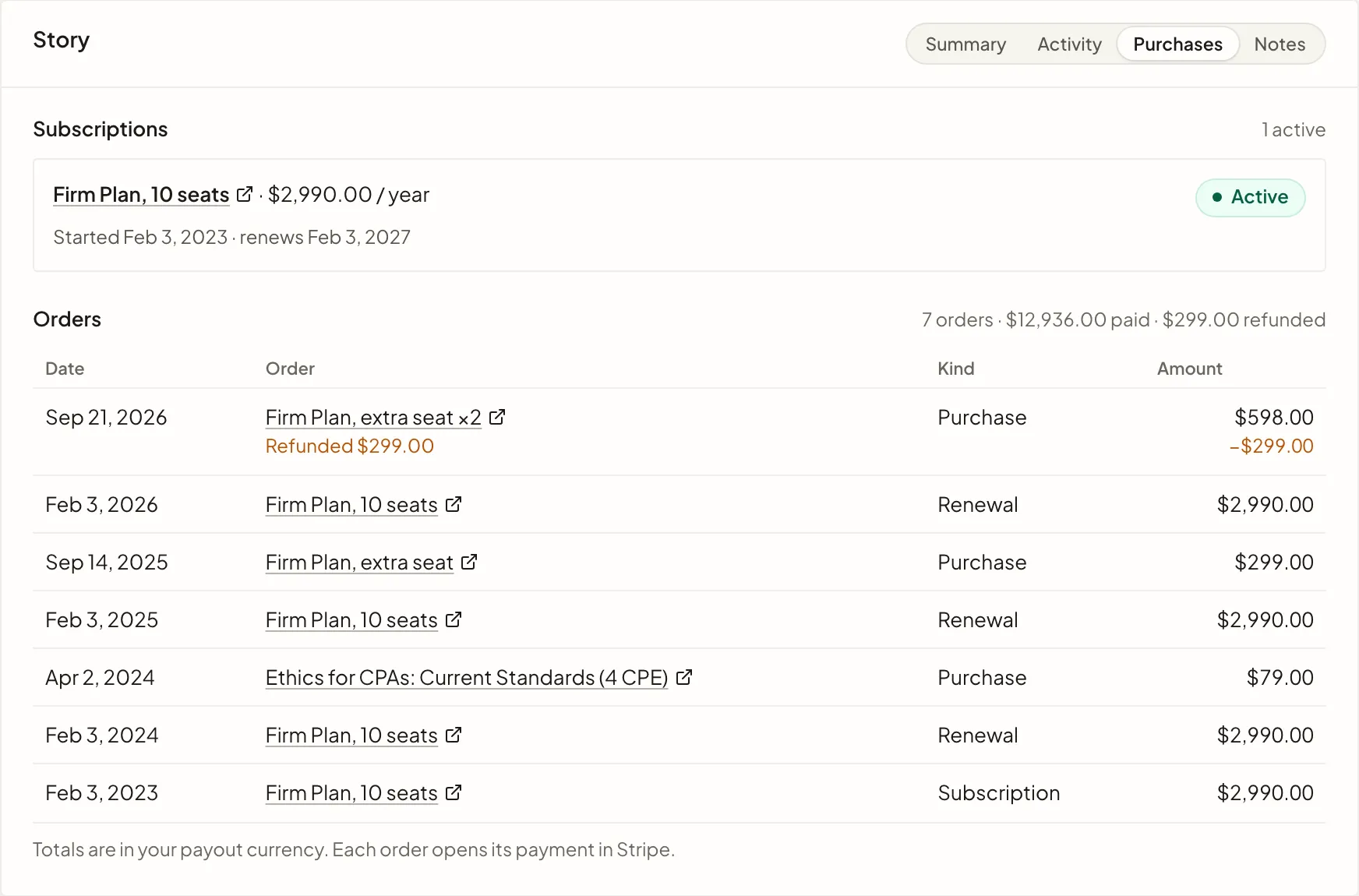
Connect Stripe and RadarSend records each purchase, renewal, refund, failed payment and cancellation on the customer's contact. Segments, Automations and sequences can use all of it, so the email someone gets follows what they bought.

What Stripe brings in.
RadarSend reads your customers, subscriptions, invoices and payments, and keeps each customer's totals current on their contact. It doesn't change anything in Stripe.
- Purchases and renewalsWith the product, the amount and the currency.
- Failed paymentsAs soon as Stripe reports one.
- RefundsTaken off the customer's totals.
- Cancellations and reactivationsIncluding a cancellation set for the end of the term, and a subscription that ended because payment failed.
- Trials about to endStripe sends this three days before a trial ends.
- Customer totalsLifetime value, number of orders, first and last purchase, subscription status and plan, monthly recurring revenue, next renewal date and trial end date.
Send the email that fits where each customer is.
- A payment fails.The Payment failure activity starts a sequence that asks them to update their card before the subscription lapses.
- A renewal is a week out.A sequence starts seven days before each Next renewal date with what the next year includes.
- Someone cancels.RadarSend can move them to the stage you choose, and the Cancellation activity can start a win-back sequence.
- You launch something new.Send the Broadcast first to a segment of customers with a lifetime value over $1,000.
See what each customer has bought.
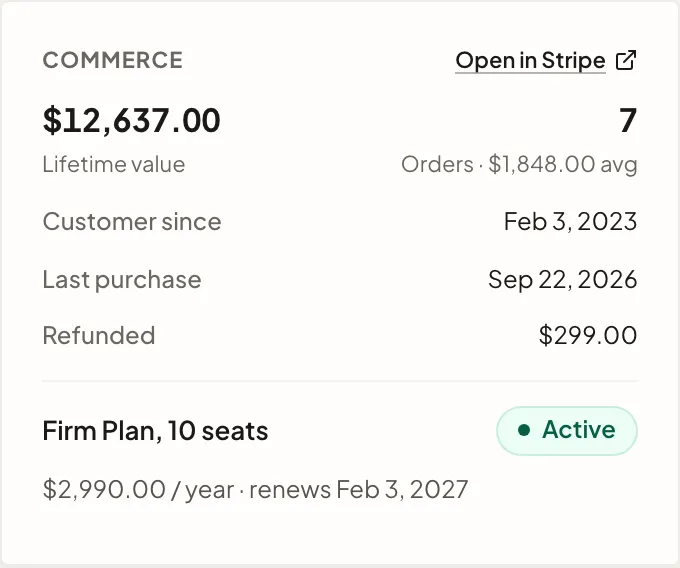
Each customer's contact gets a Commerce card with their lifetime value, number of orders, average order, when they became a customer, their last purchase and anything refunded, plus each live subscription and its renewal date.
The Purchases tab lists every order beside their email and website activity, so you can see what someone read before they bought.
Build segments from what people buy.
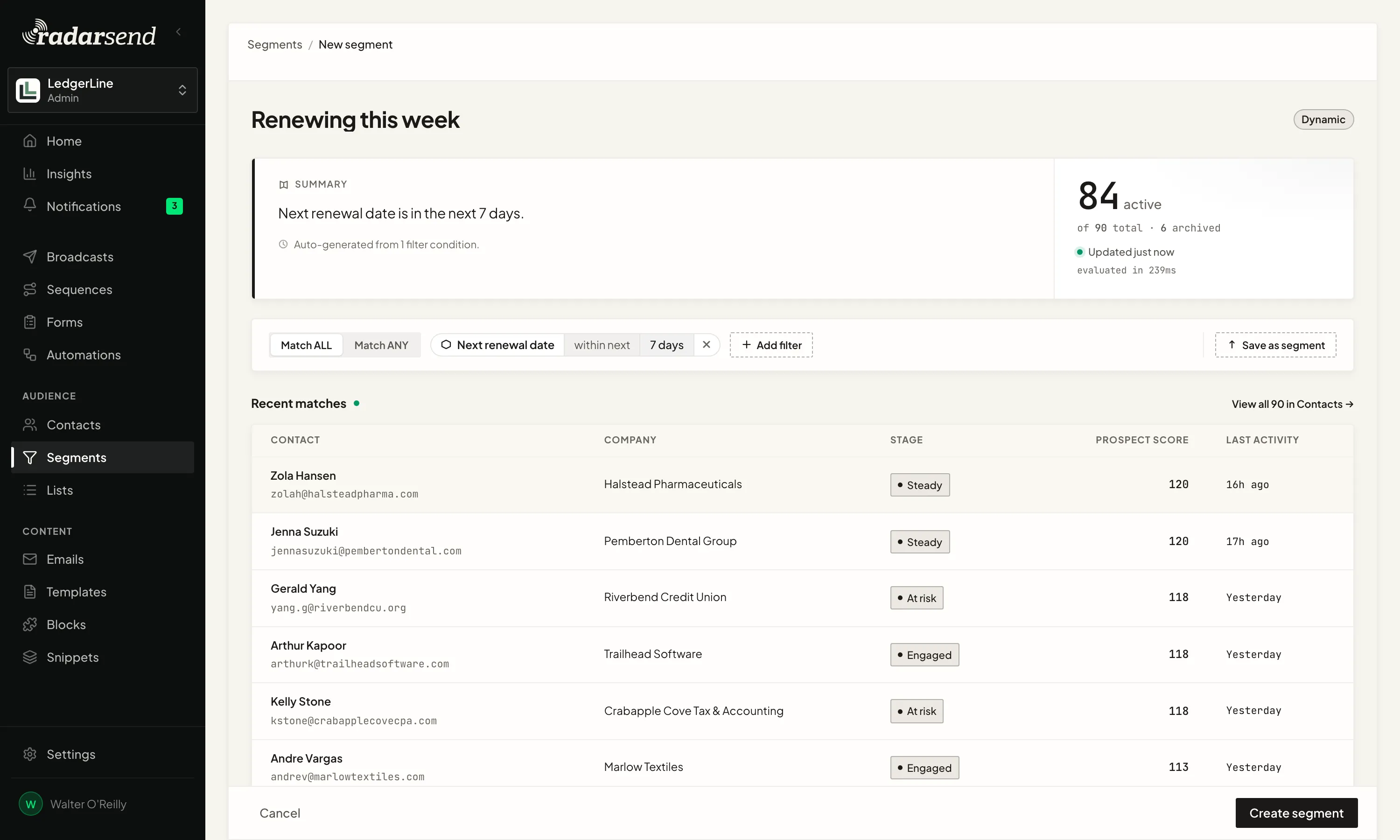
Connecting Stripe adds an Ecommerce category to the segment filters: lifetime value, number of orders, first and last purchase date, subscription status and plan, customer state, monthly recurring revenue, next renewal date and trial end date.
Segments update as payments come in, so a segment of everyone renewing in the next seven days is always the right people.
Your history comes with it.
When you connect, RadarSend imports your Stripe history. Totals count every order however old it is, and the last 12 months of purchases, renewals and refunds show up as activity.
The import doesn't start any Automations or sequences, so nobody gets an email about something they bought last spring. After that, a nightly check compares subscriptions with Stripe and fills in anything a missed event left out.

RadarSend also connects to
All integrations →- GoTo Webinar Who registered for each webinar, who attended, and who missed it.
- Slack Posts to a channel from an Automation or a sequence.
- Warmy Your Warmy seed list in every broadcast, kept out of your open and click rates.
- WordPress and WooCommerce Site tracking, your forms, and WooCommerce orders, from one plugin.
- Zapier Start Zaps from RadarSend, and update RadarSend from thousands of apps.






Connect Stripe, and send email that knows who your customers are.
Setting it up? Read the Stripe setup guide →