Tomaya.chen@example.com
first_nameMayaplanpro
Hi Maya,
Here's what's new for Pro customers.
Work directly in MJML or HTML, or turn your design into a template your team can fill in. Add contact details and simple rules when different readers should see different content.
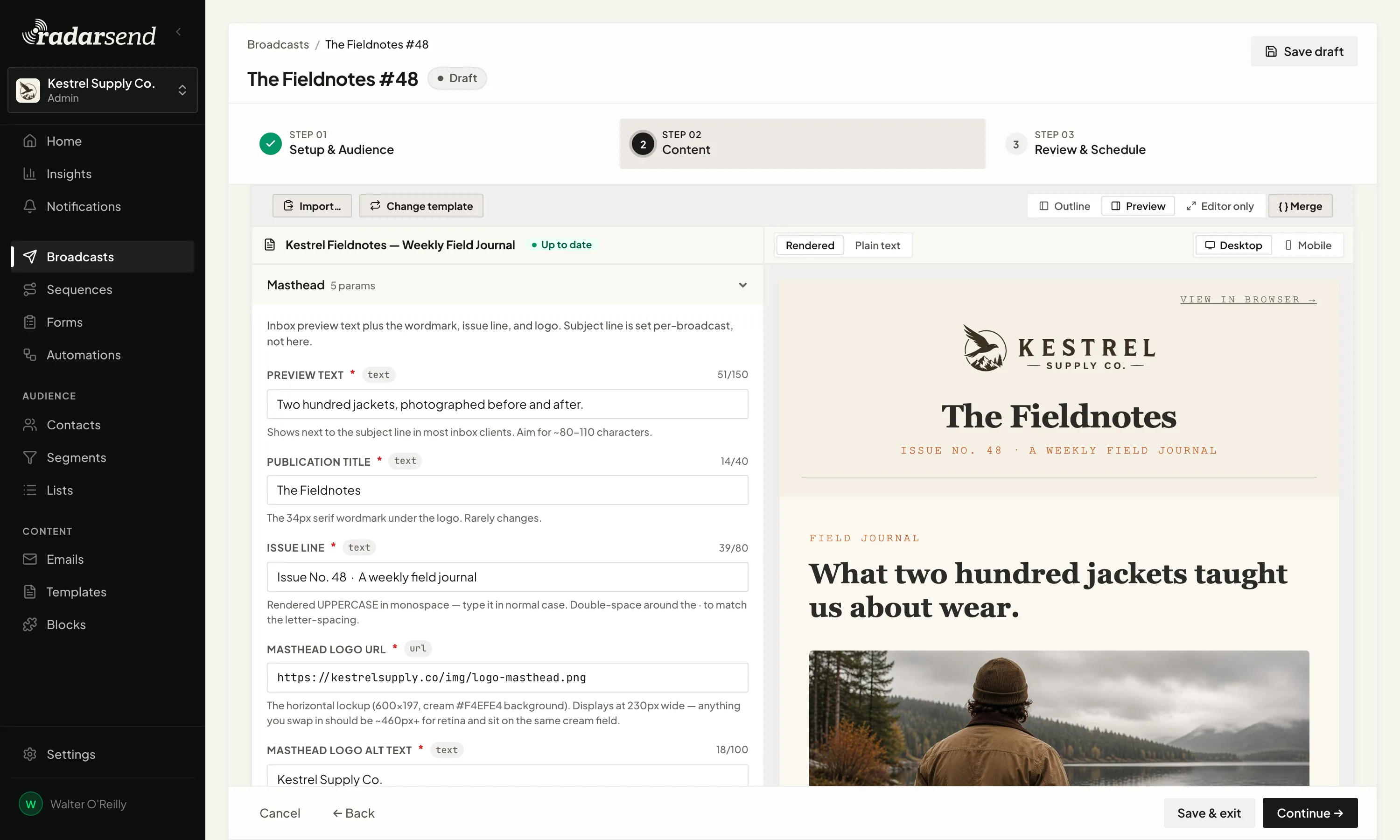
You control the design, and RadarSend fills in what changes for each contact.
Fill in guided fields built for your design. The layout is protected.
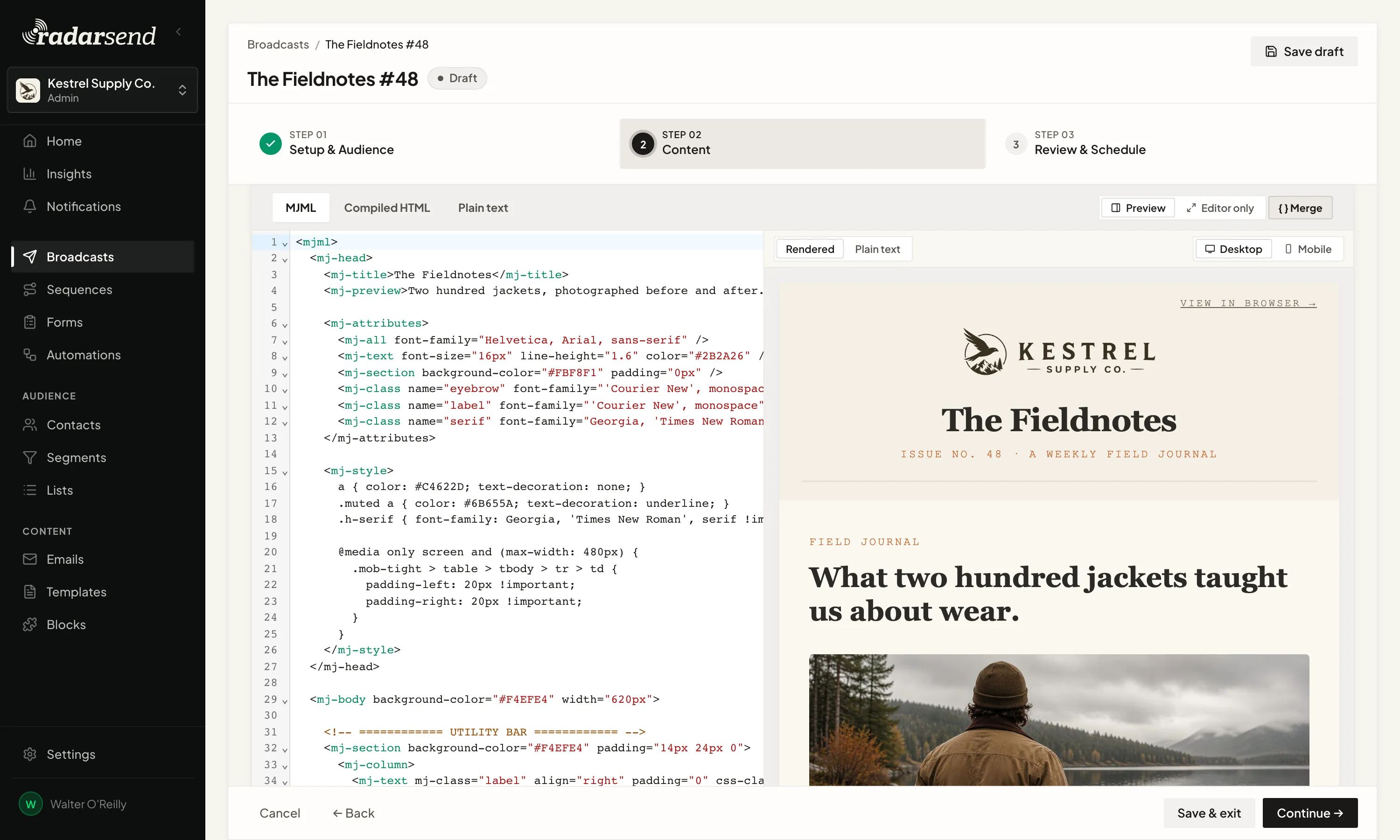
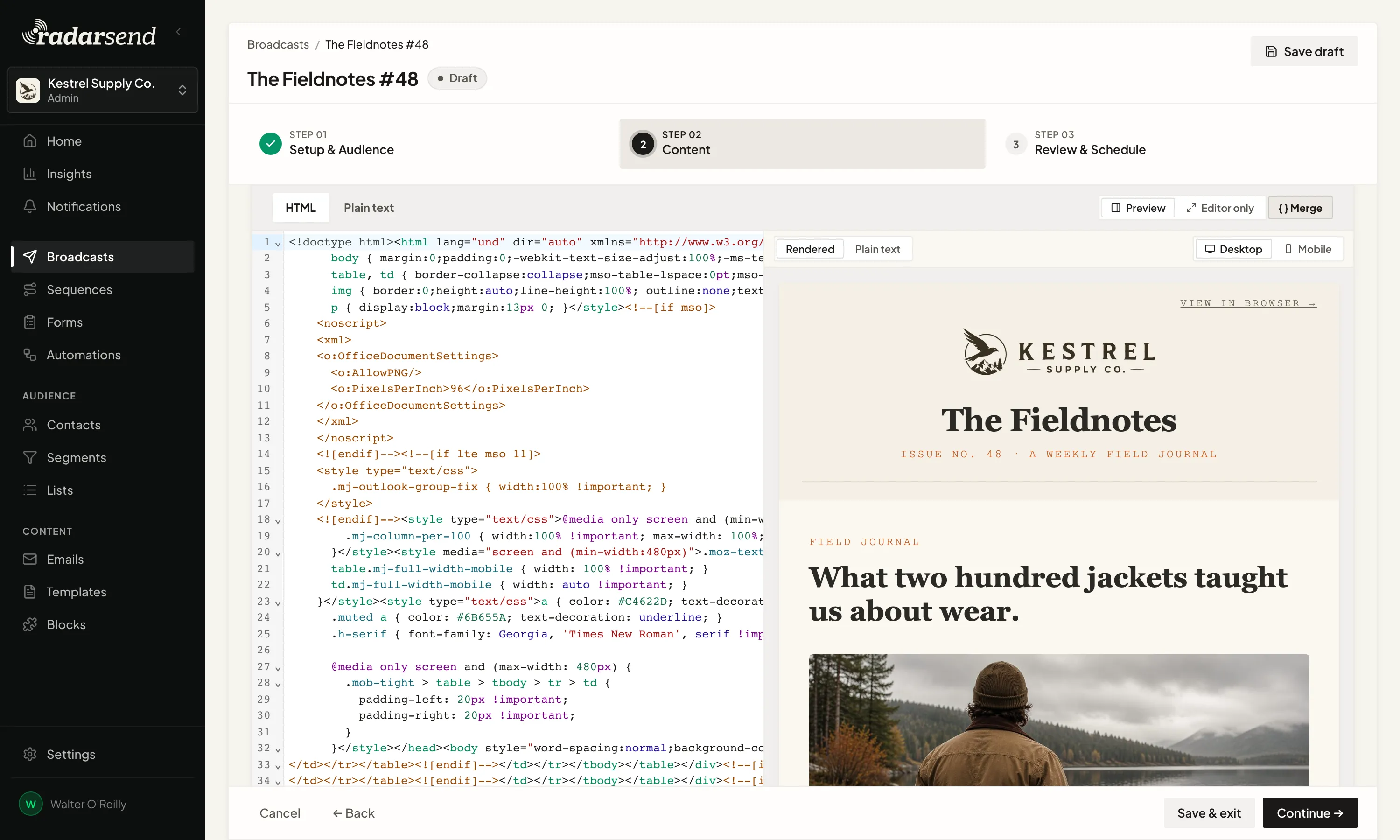
Whether you work from a template, write MJML, or use HTML, the email doesn't have to say the same thing to everyone. Merge tags work like mail merge. Add one wherever contact data should appear. A greeting can use a first name. A sentence can name the contact's company. Any custom field can become part of the email.
Hi {{ first_name | default: "there" }},RadarSend fills in the tag for each contact as the email goes out. When a first name is missing, the fallback keeps the greeting from coming out blank. The same merge tags work in the subject line too.
Liquid handles the parts that need a simple decision. Use an if/else rule to show one paragraph to customers and another to prospects, change an offer by plan, or leave out a section that doesn't apply.
Hi Maya,
Here's what's new for Pro customers.
Hi there,
See what you can do with Pro.
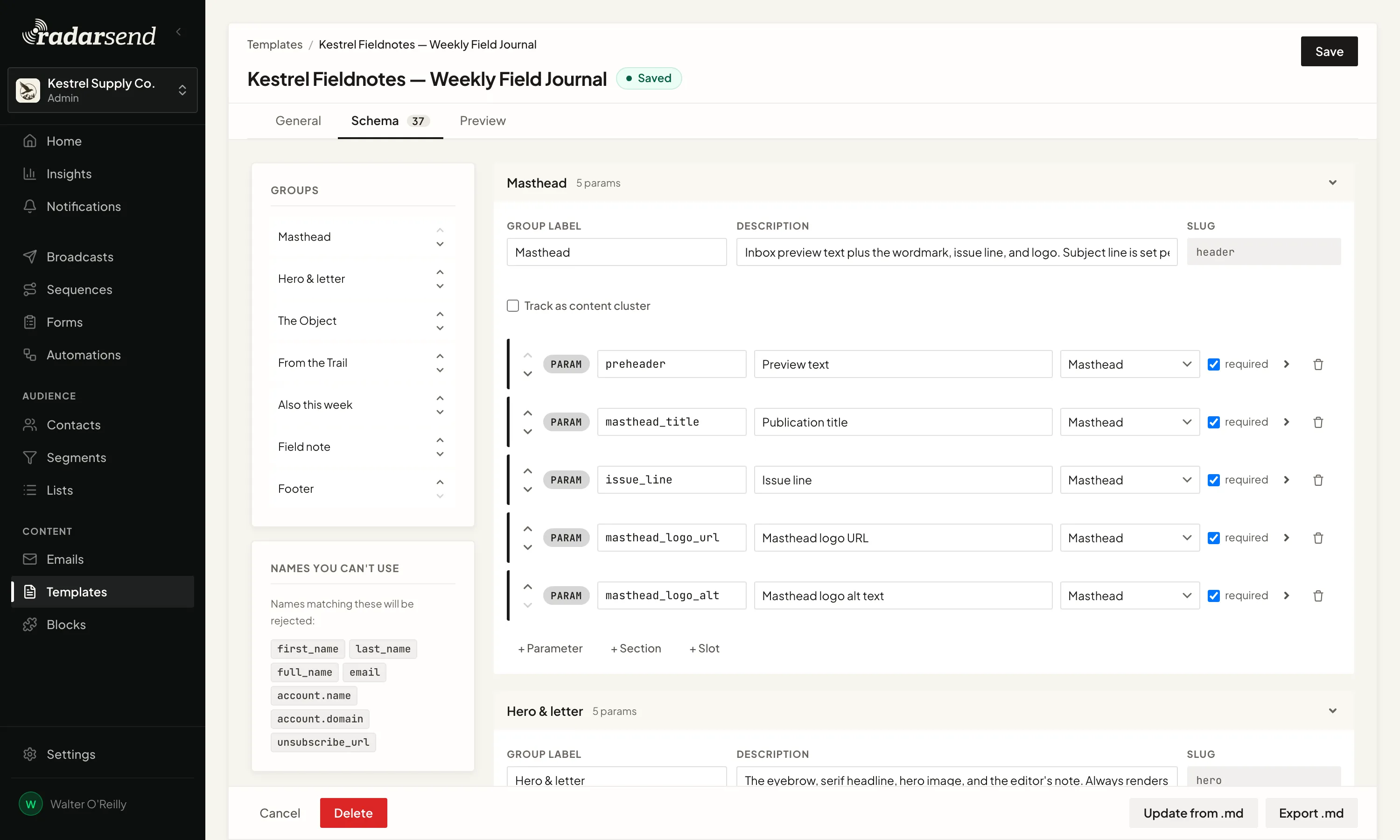
Write the template in MJML and mark the parts that change. RadarSend finds them for you, including repeating sections and slots, and you can add any new ones with one click.
Then, on the template’s Schema tab, decide what each part accepts: text, an image, a link, a yes-or-no choice, or something else. Give it a label, instructions, a default, or a limit, so your team knows exactly what to fill in.
Use a repeating section for content such as newsletter articles. Define the article once, then add as many as the issue needs. Use a slot for a content block, a mini template that drops into the larger design.
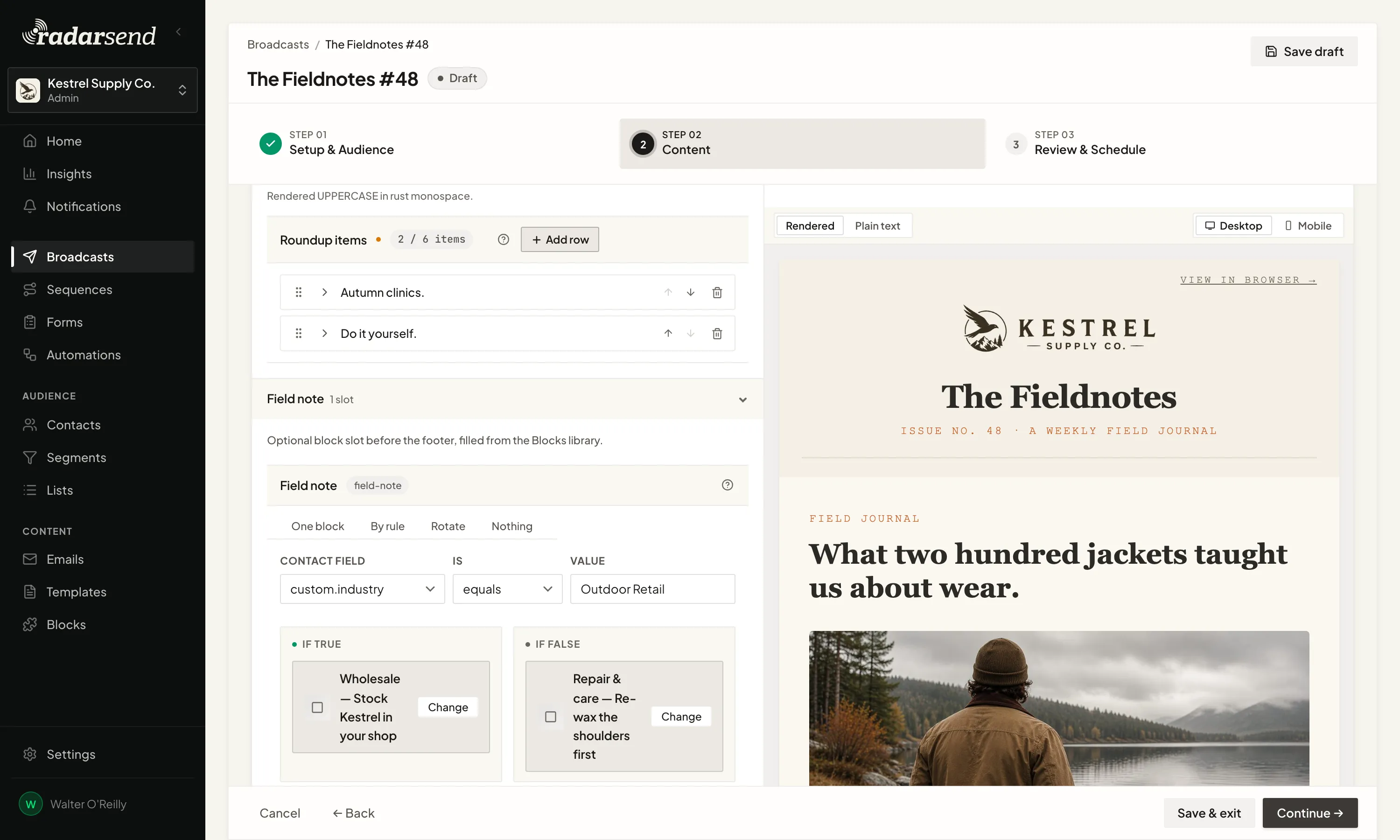
Build a promotion, event notice, product card, or signature as a content block. It gets its own MJML and fill-in fields, then drops into any compatible template without being copied from an old email.
Use the same block every time, choose from a group, change it based on a contact field, or leave the slot empty. Merge tags and Liquid rules work inside blocks too.
Reuse the design without making every email identical.
A RadarSend Template explains what belongs in each field, how long it can be, and which content blocks are allowed. That gives an AI assistant a clear job.
Give it your posts, product notes, or source material. It fills in the template, checks the result, and fixes anything that doesn't fit. What lands in RadarSend is a finished draft in your design, ready for review.
The assistant writes the content that changes, and the template keeps control of the layout.


