Email sequences that follow
what people actually did.
Welcome series, renewal reminders, and win-back emails that wait, branch, and follow up on their own. You get the automation the big-name platforms offer, and it sends through your own sending account.
A follow-up should depend on what the person did, not on a security scanner clicking a link in the email.
Start a sequence from almost anything a contact does.
A sequence can start when someone fills in a form, joins a list or segment, clicks a link, visits a page on your site, or reaches a date like a renewal. It can also start from something your own app reports, like a signup or a purchase.
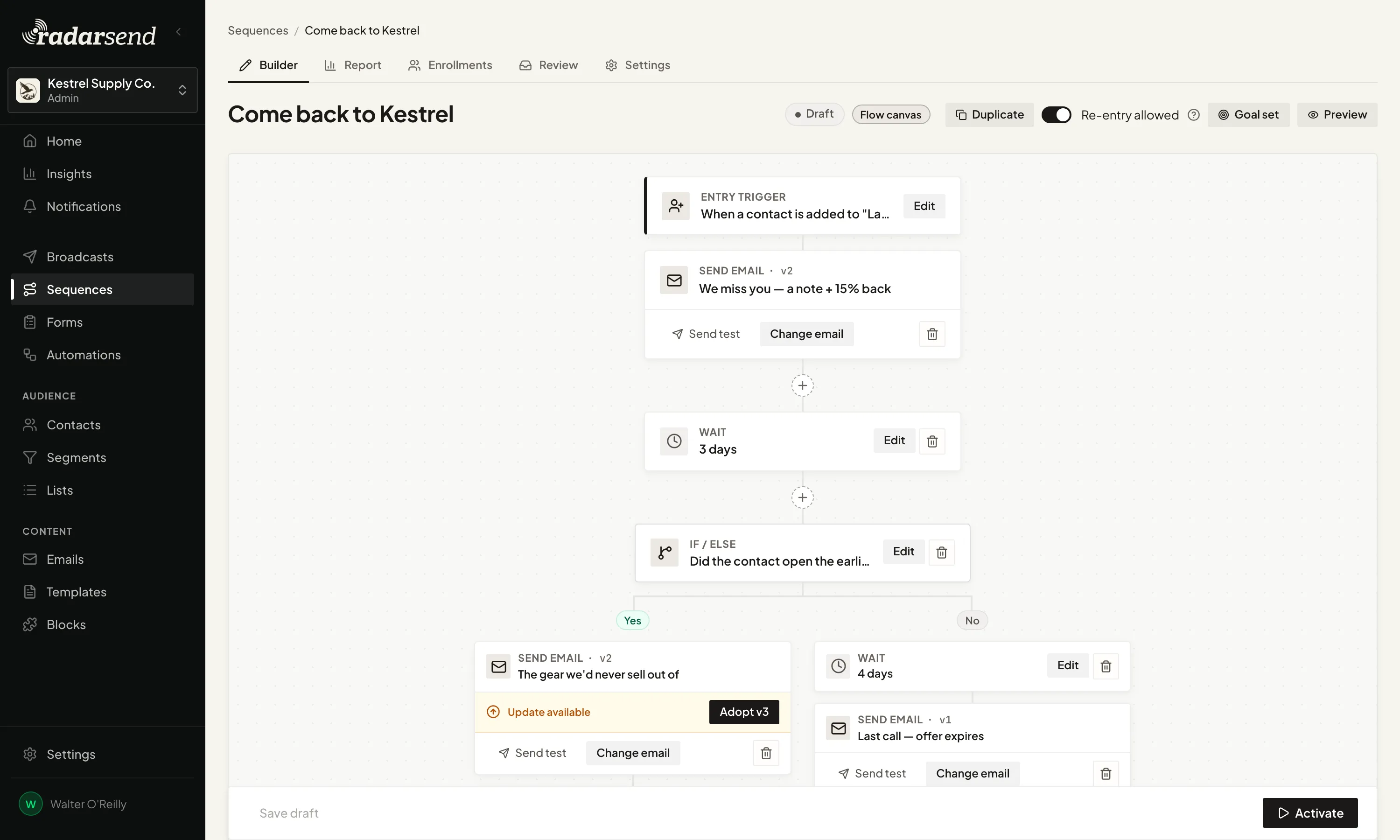
From there you build the follow-up the way you'd describe it out loud: send the welcome email, wait three days, and if they haven't clicked, send a reminder. Along the way it can update a field, move someone to a new stage, or hand them to another sequence, and it stops as soon as they reach your goal.
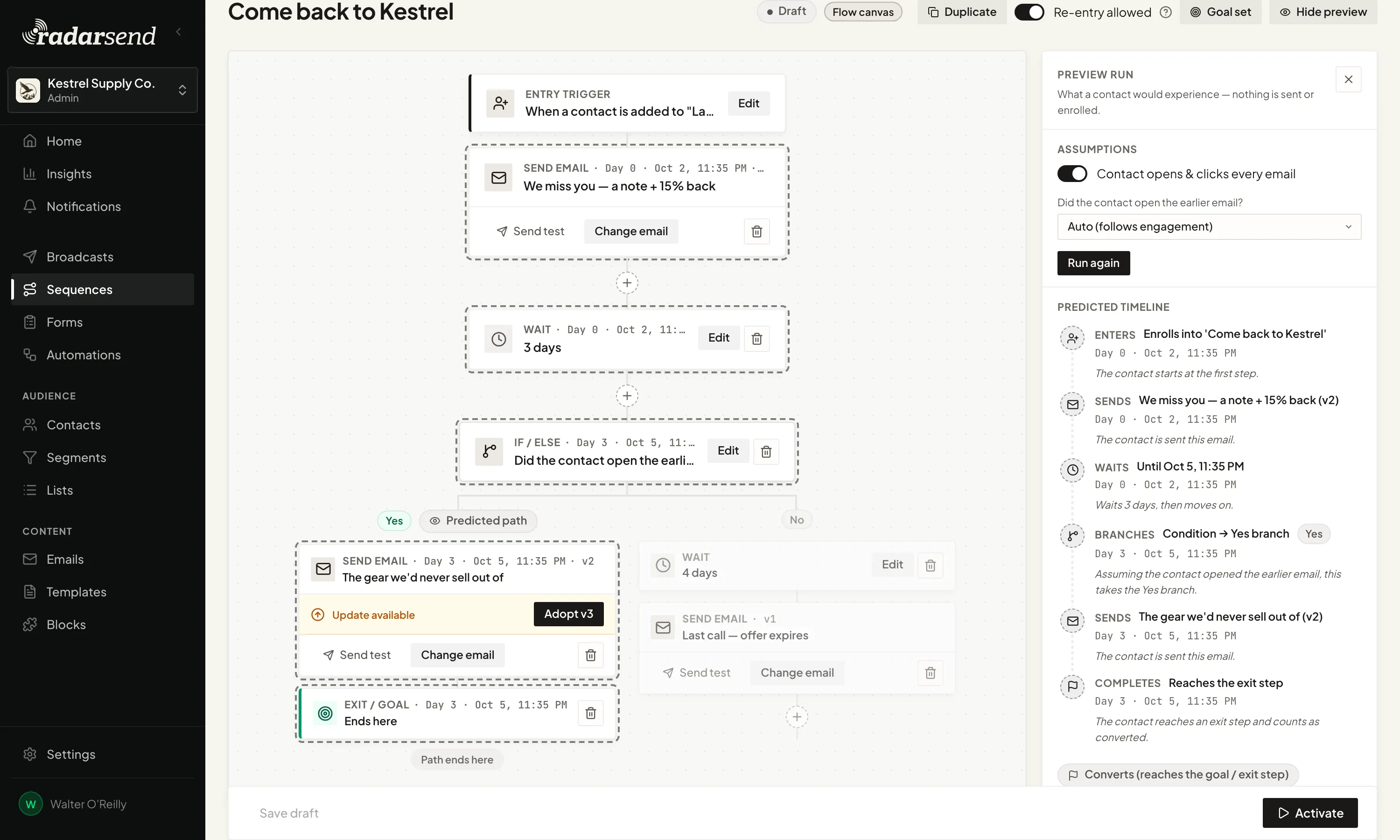
Before you turn it on, run a preview. Tell RadarSend what an example contact does, and it shows the route they'd take and when each email would go out. Nothing is sent.
A security scanner's click doesn't send anyone down the wrong path.
Many company inboxes run every link through a security scanner before a person sees the email, and some inbox previews open messages on their own. If a sequence counts those as a real open or click, a contact who never read the email gets the follow-up meant for someone who did.
RadarSend filters that activity out before a sequence checks it. If a click is still being checked, the sequence waits for the answer rather than guessing.
See which step is working and where people drop off.
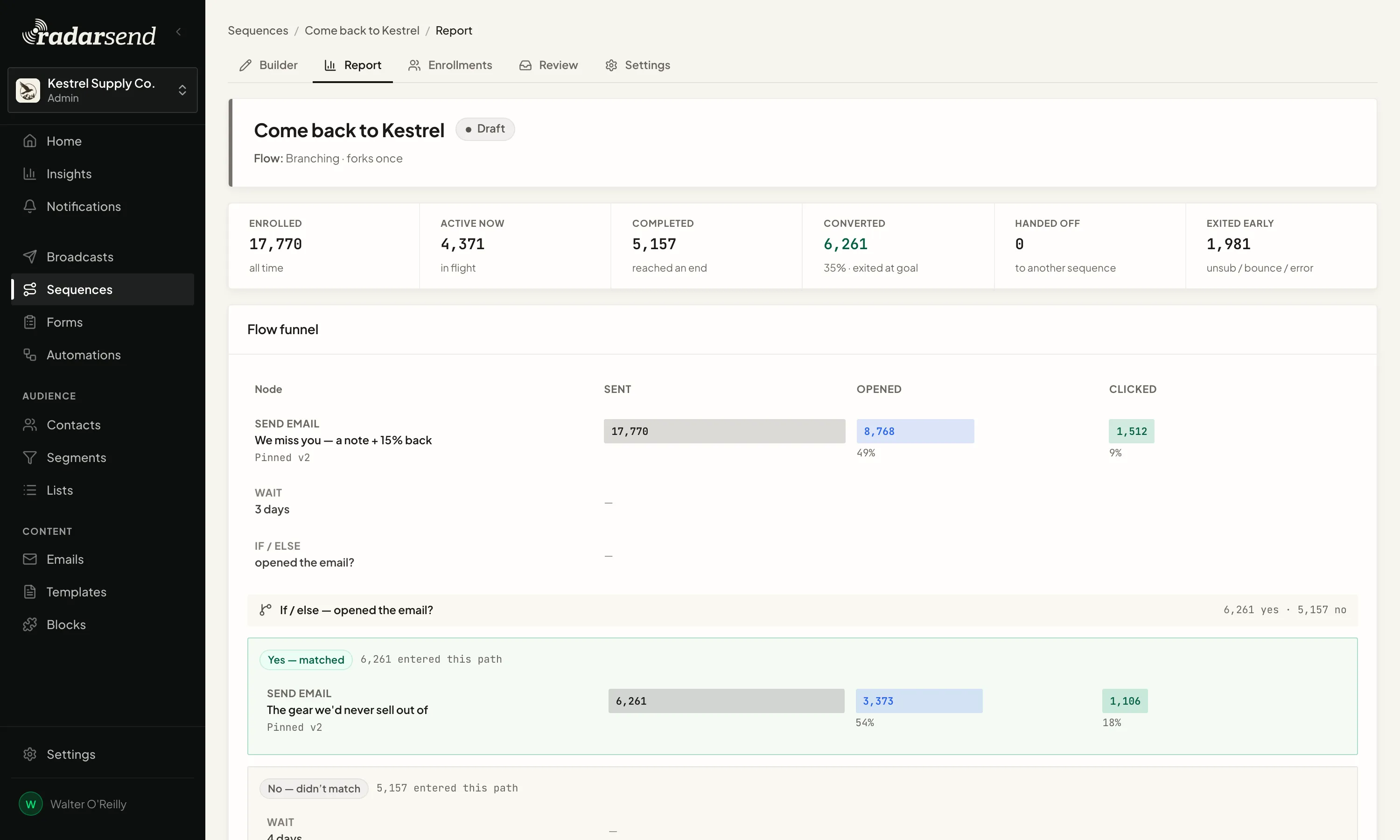
The report follows everyone through the sequence: how many reached each email, opened it, and clicked, which way each branch went, and how many reached the goal or left early. Bot opens and clicks are left out, so the numbers show how people responded.
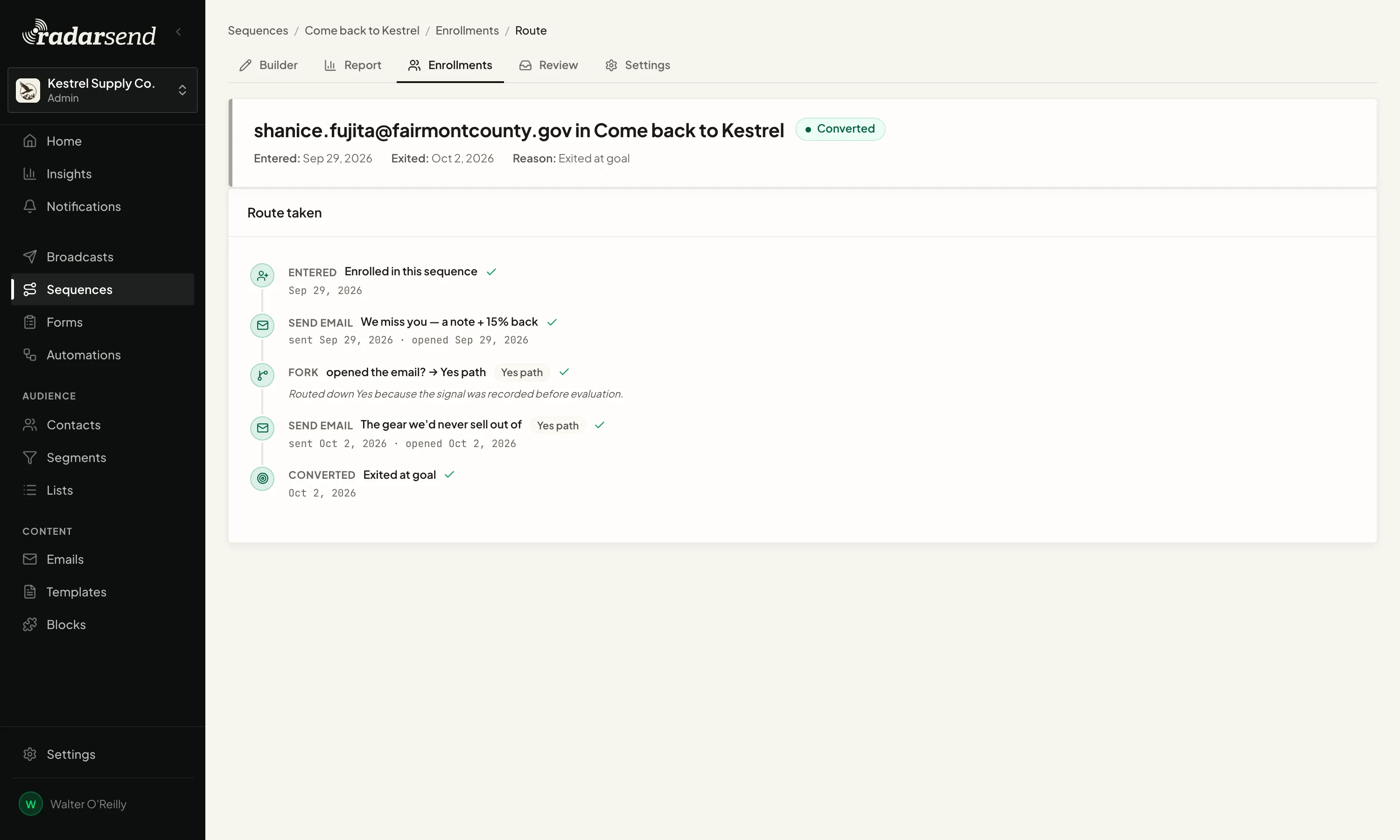
Know where each person is in the sequence, and how they got there.
Open any contact's enrollment and you'll see the route they took, the emails they got, which way each branch went, and why they left. If they're waiting, it says what for and when the next step happens.
Change a live sequence without starting over.
You can add a step, swap an email, or shorten a wait while people are partway through. RadarSend pauses the sequence while you edit, so nobody gets a half-finished version, and everyone picks up where they left off when you resume. You can also send a new step to people who already finished.
For a new sequence you'd rather watch closely, you can hold each email for review and approve it before it goes out.
Some jobs only need one step.
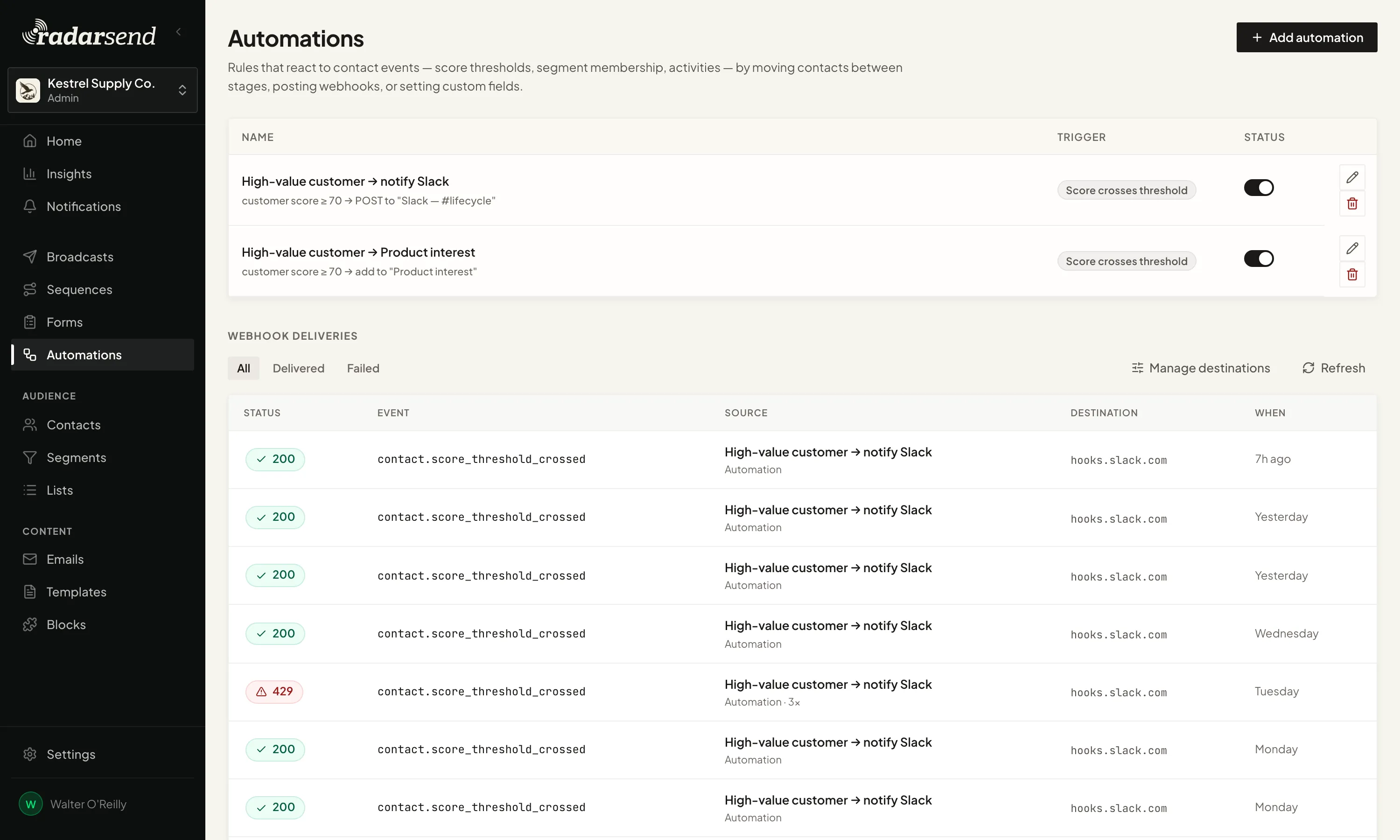
When a contact's lead score passes 70, send a webhook that posts to your sales team's Slack channel. When someone joins a segment, move them to a new stage or update a field. Automations handle one-step jobs like these without building a whole sequence.