Track what people do
after they click.
Most email reports tell you someone clicked. RadarSend shows which pages they visited, how long they stayed, whether they came back, and what they did next.
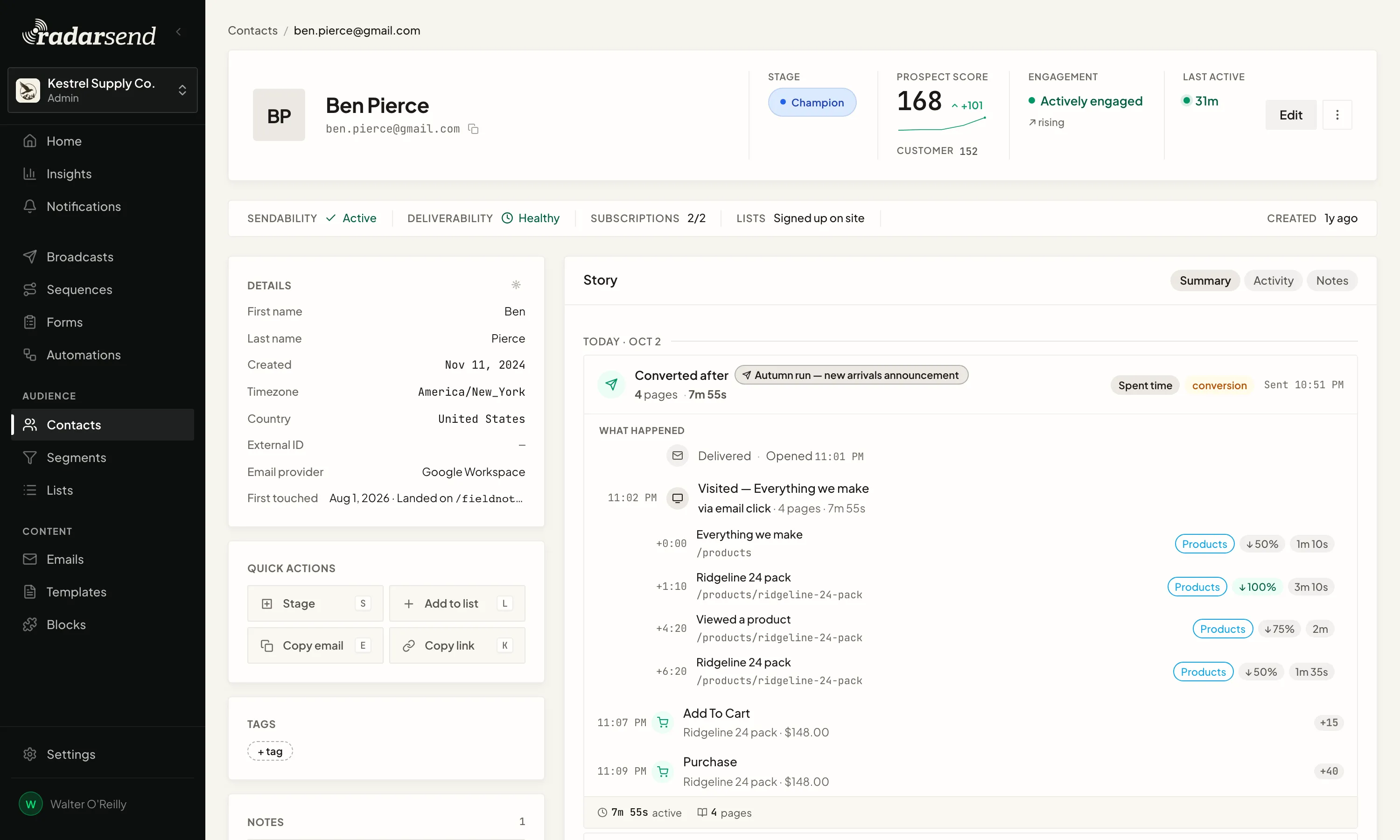
The email, the visit, and what happened next stay together. Known bot and scanner activity is filtered out before it counts.
See what someone read after they clicked.
Every click leads to the visit behind it: the pages they read, how long they spent on each, how far they scrolled, and whether they came back later. It all sits on the contact, next to the email that brought them there.
Most email reports stop at the click. But someone who read three pages for eight minutes is far more interested than someone who glanced at one page for ten seconds, and RadarSend shows you which one you're looking at.
RadarSend knows who arrived from an email click. If someone browsed your site before you knew who they were, those earlier pages join their history once they fill in a form, log in, or check out.
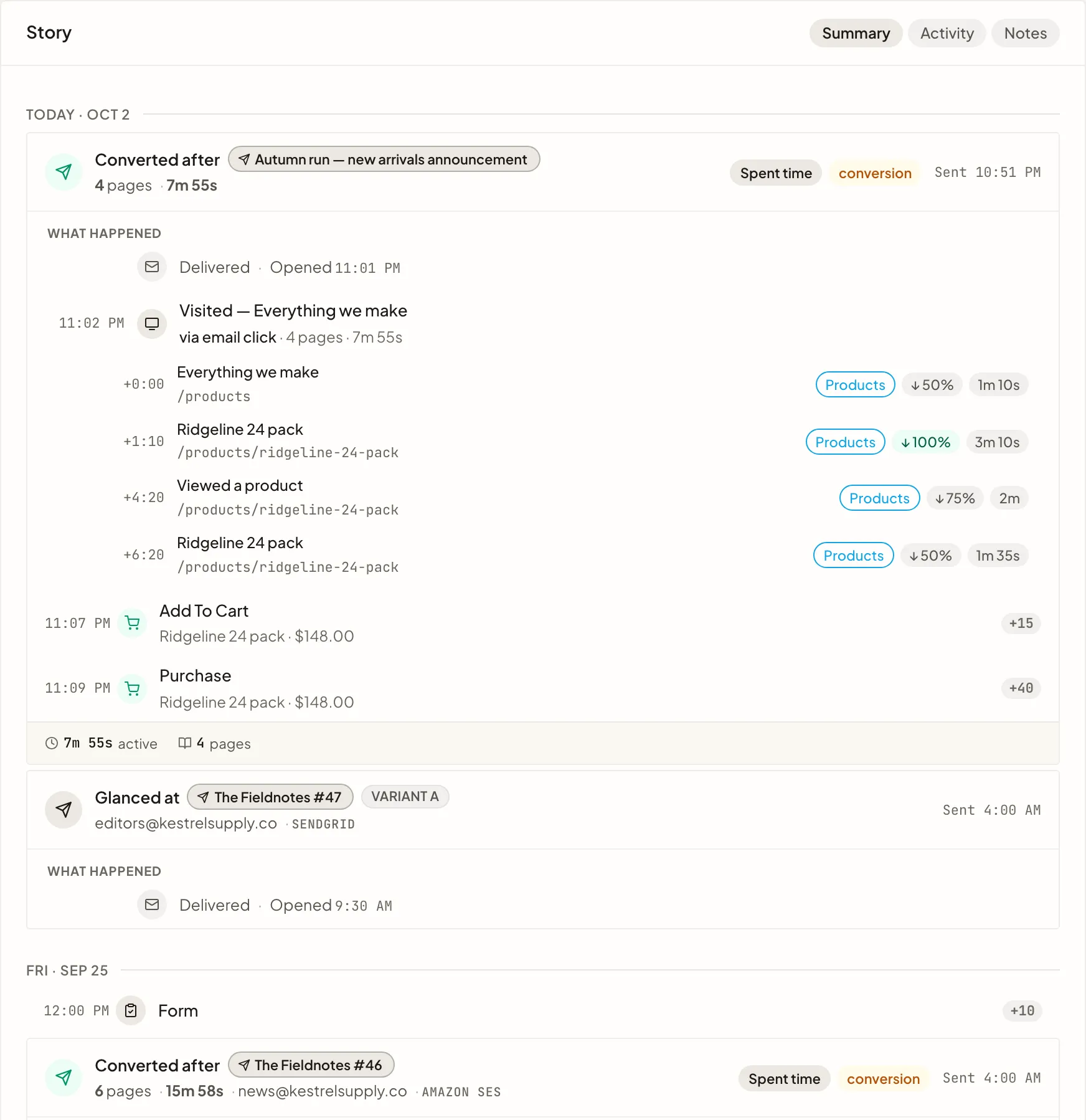
Every visit and outcome adds up on the contact: their stage, both scores, how engaged they are, and where they were last active.

See who stayed after they clicked.
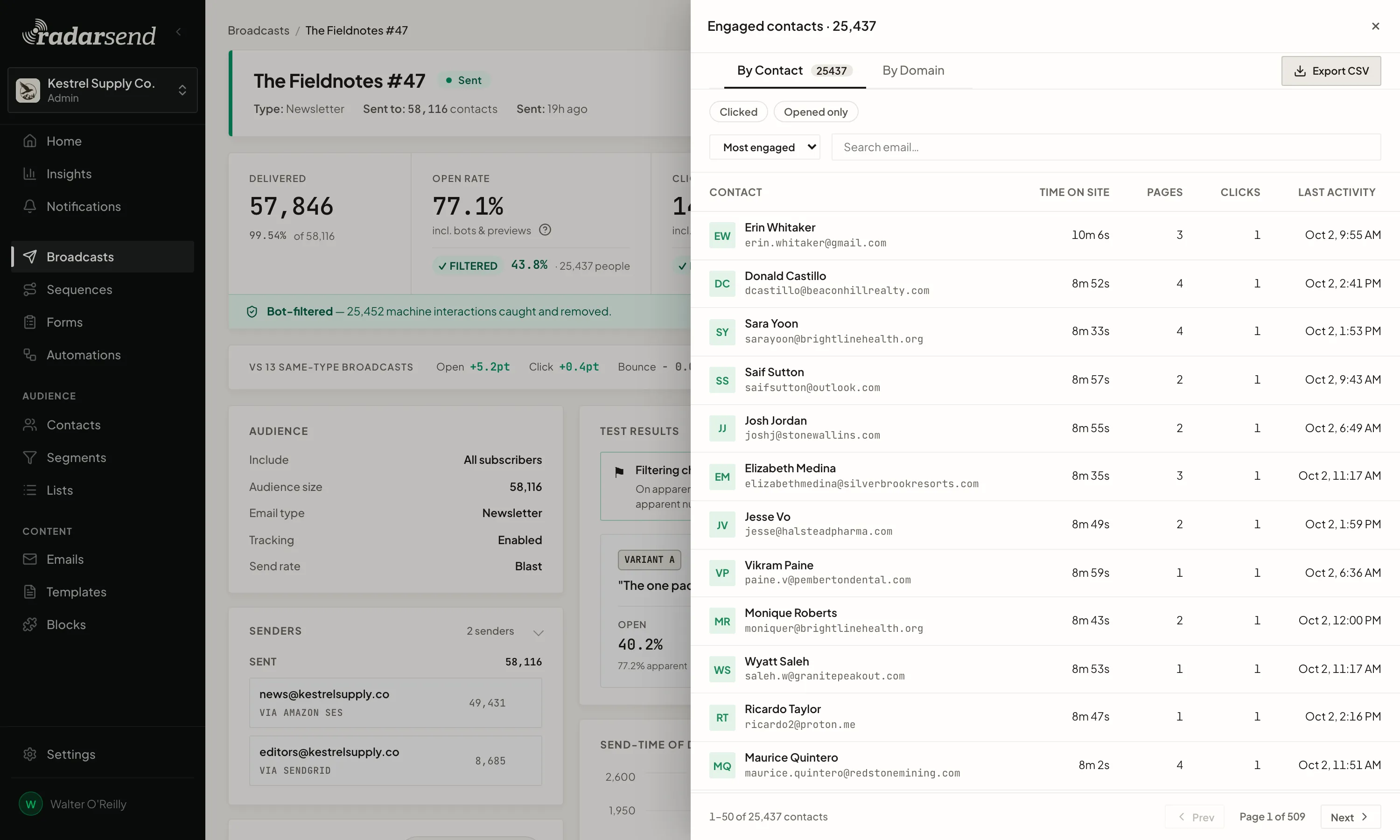
Every broadcast report lists the contacts who spent time on your site afterward, with the pages they visited and how long they stayed. Sort by time on site and the people who read the most come first.
That's your follow-up list, without opening contact records one at a time.
Security tools often click every link before an email reaches the inbox, and some inbox previews open messages on their own. RadarSend leaves that activity out of this list, and you can see what it removed and why.
Website analytics come with it.
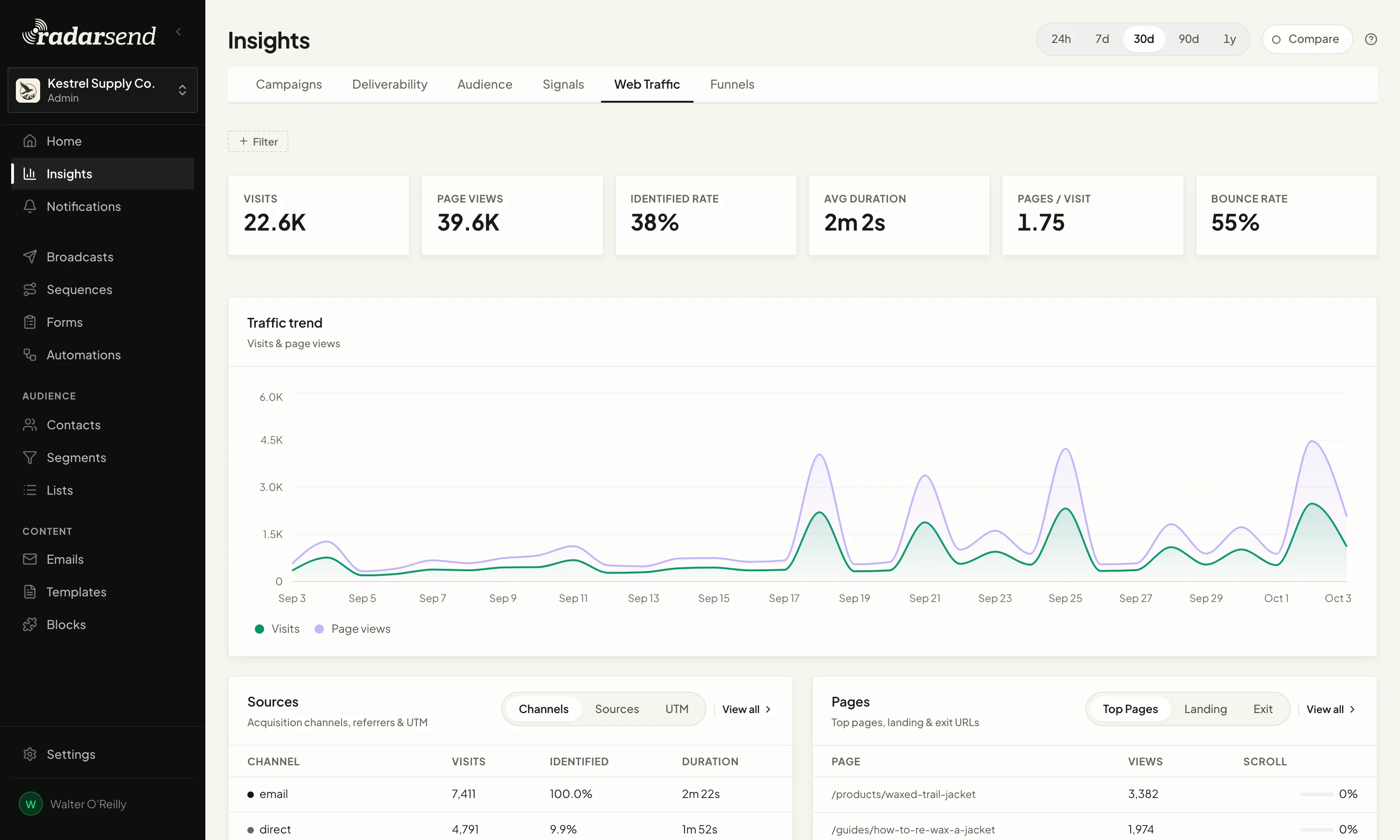
The tracking code you add to your site for email clicks measures the rest of your site too, so you get the analytics most teams use a separate tool for: visitors and page views over time, where people come from down to the referrer and campaign, which pages they land on and leave from, and funnels that show where they drop off before they buy.
And unlike a separate analytics tool, it knows who many of your visitors are. Anyone who came from an email, filled in a form, or logged in has their visits on their contact, so you can group pages into topics, like pricing or case studies, and build a segment of everyone who read about pricing this week. Bot traffic is filtered out, and tracking runs on your own domain rather than a third party's.