Every client in one login. Results they can check.
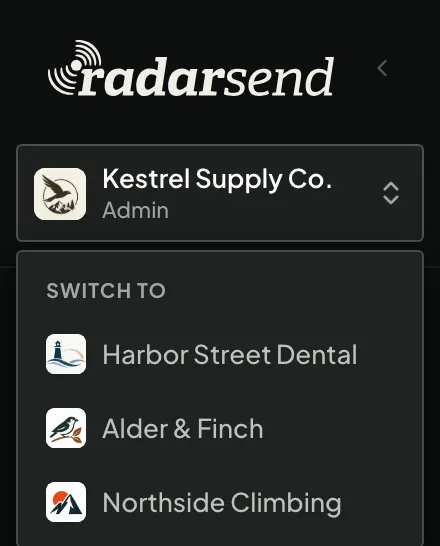
RadarSend gives each client its own workspace, domains, and sending, and you switch between them without signing out. The reports show who actually read the email and what they did on the client’s site afterward, so the results hold up when a client asks.
Take on another client without taking on another tool.
Each new client gets a workspace we set up for you, with its own domains, sending, contacts, and reports. You run all of them from one login, and a client’s customers only ever see that client’s name.
Adding a client is an email to us, not another login to keep or another tool for your team to learn.
Their own domains.
Each client sends from its own domains and senders, with its own tracking domain, so links in their emails carry their name.
Their own sending.
Each client connects a sending service, and its bounces and complaints come back to that client’s workspace only.
Their own contacts.
Contacts, segments, fields, and scores stay in the client’s workspace. Nothing is shared between clients.
Their own preference center.
The preference and unsubscribe page carries each client’s logo, colors, and email types, on the client’s domain.
Their own reports.
Broadcast reports, Insights, and website analytics for each client sit in that client’s workspace, ready to walk them through.
Access you control.
Give each person admin or member access client by client, and require two-factor sign-in for any client that needs it.
Show clients more than an open rate.
55–60% of email opens now come through Apple Mail Privacy Protection, and about half of email clicks were bots by mid-2026, most of them security scanners. A report built on those numbers is hard to defend when a client compares it with their own analytics.
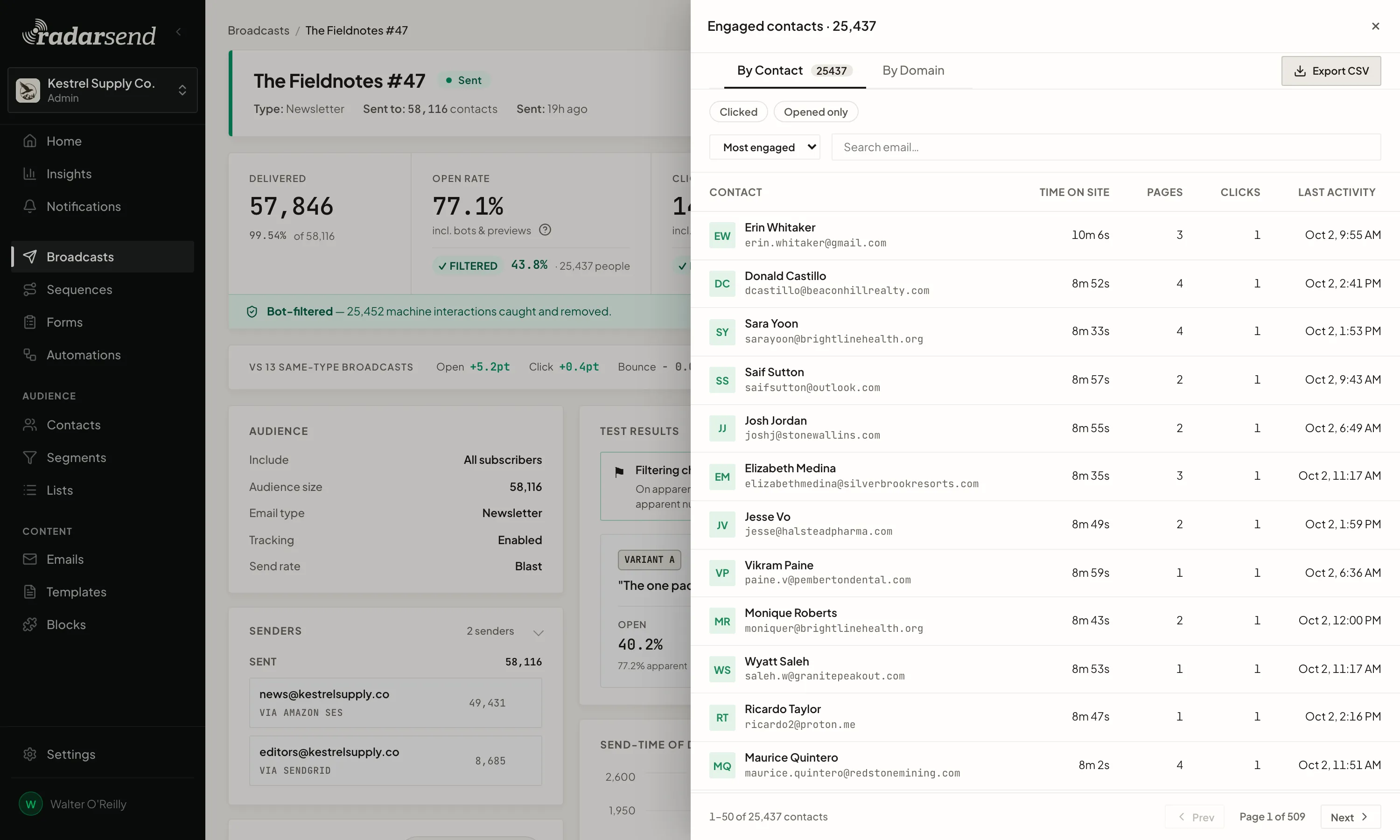
RadarSend takes the bots out of every report, then follows people onto the client’s site. You can show a client that 2,800 people came to the site from their launch email, what they read, how long they stayed, and who came back to the pricing page twice that week.
Apple Mail Privacy Protection now accounts for 55–60% of email opens
It loads each email automatically, whether or not anyone reads it.
Bots now make about half of all clicks tracked through email platforms
Most of them are security scanners checking links before anyone reads the email.
Know which people are worth a follow-up.
Put one line of tracking code on each client’s site, and every contact’s record shows the emails they got, what they clicked, and the pages they read afterward. Scores add up from whatever that client cares about, like a demo request or a visit to the pricing page.
That turns a report into a list the client can act on. Hand their sales team the people who read three product pages this week, or start a follow-up sequence for anyone who came back to the pricing page, and export the engaged contacts from any broadcast to CSV.
Draft every client’s email with your AI assistant.
Connect Claude, ChatGPT, or any assistant that supports MCP once, and choose which client workspaces it can work in, up to 20 at a time.
Ask for next week’s newsletter for one client and a promo for another. The assistant reads each client’s templates, fills them in from the client’s site or your notes, checks its work against the template’s rules, and leaves a draft in that client’s workspace, in their design.
It only drafts. You or your team review, then schedule it from RadarSend.


One sending account for your clients, or one each.
Run several clients on one Amazon SES account.
Connect the SES account you manage to each client’s workspace. Every client still sends from its own domains, and you pay Amazon’s rate for all of them in one bill, as little as $0.10 per 1,000 emails.
Or give each client its own.
Connect the client’s own account, whether that’s Amazon SES, SendGrid, Mailgun, Resend, or Mailjet. Their sending stays entirely separate from your other clients, and it’s already theirs if they ever move on.
Either way, each client’s bounces and complaints come back to its own workspace and never mix with another client’s. How sending works →
Pricing for agencies.
Each client workspace is priced by its list size, with every feature on every plan. If you run email for several clients, tell us about them and we’ll put together agency pricing, set up each workspace, and help you move clients over.
- Pricing based on how many clients you run and how big their lists are
- Every client workspace set up for you
- Help moving each client’s contacts, templates, and automations
- Sending at your sending service’s rate, with no markup from us
Questions from agencies
Is RadarSend white-label?
The app itself carries RadarSend’s name. Everything your clients’ customers see runs on the client’s own domain with their branding: tracked links, the preference center, and the unsubscribe page. Recipients never see RadarSend’s name.
Can I reuse a template across clients?
Yes. Export a template or content block as Markdown from one client’s workspace and import it into another, then adjust the brand details.
What happens if a client moves on?
Their contacts, templates, and reports live in their own workspace, and their sending account and domains were theirs all along, so the reputation they built goes with them.
Can you move clients over from another platform?
Yes. We’ll work with you to move each client’s contacts, custom fields, lists, suppressions, and templates, and to rebuild their automations as sequences. The migration plan is free.
Run every client from one place, and show them what worked.
Tell us how many clients you run email for and what they use today, and we’ll work with you on pricing and the move.