Build the signup form.
Decide what happens next.
A form on your own site that asks the right questions, puts each new contact on the right lists and subscriptions, and starts the follow-up as soon as they submit it.
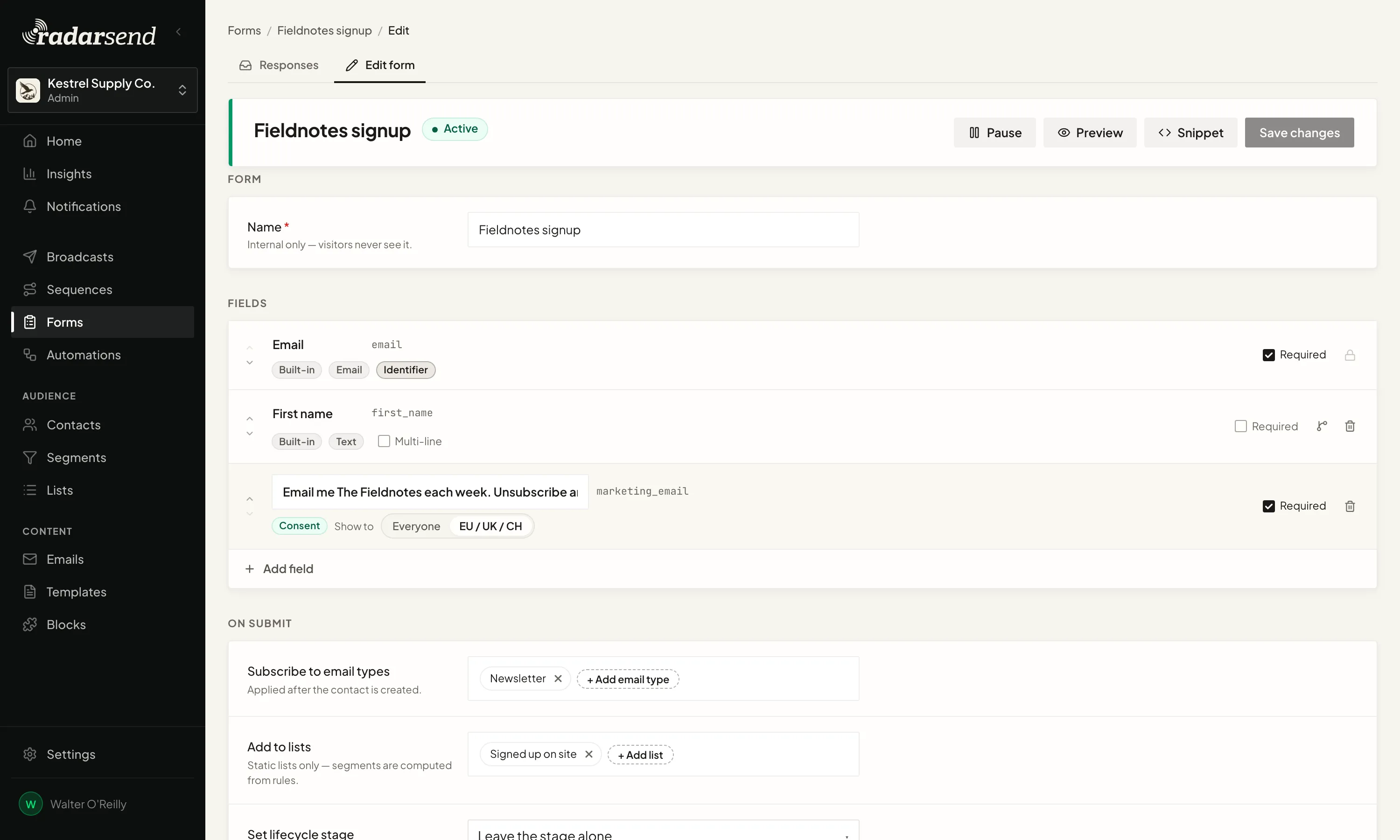
RadarSend can also keep the pages someone visited before signing up, so the follow-up starts with more than an email address.
Ask for what you need.
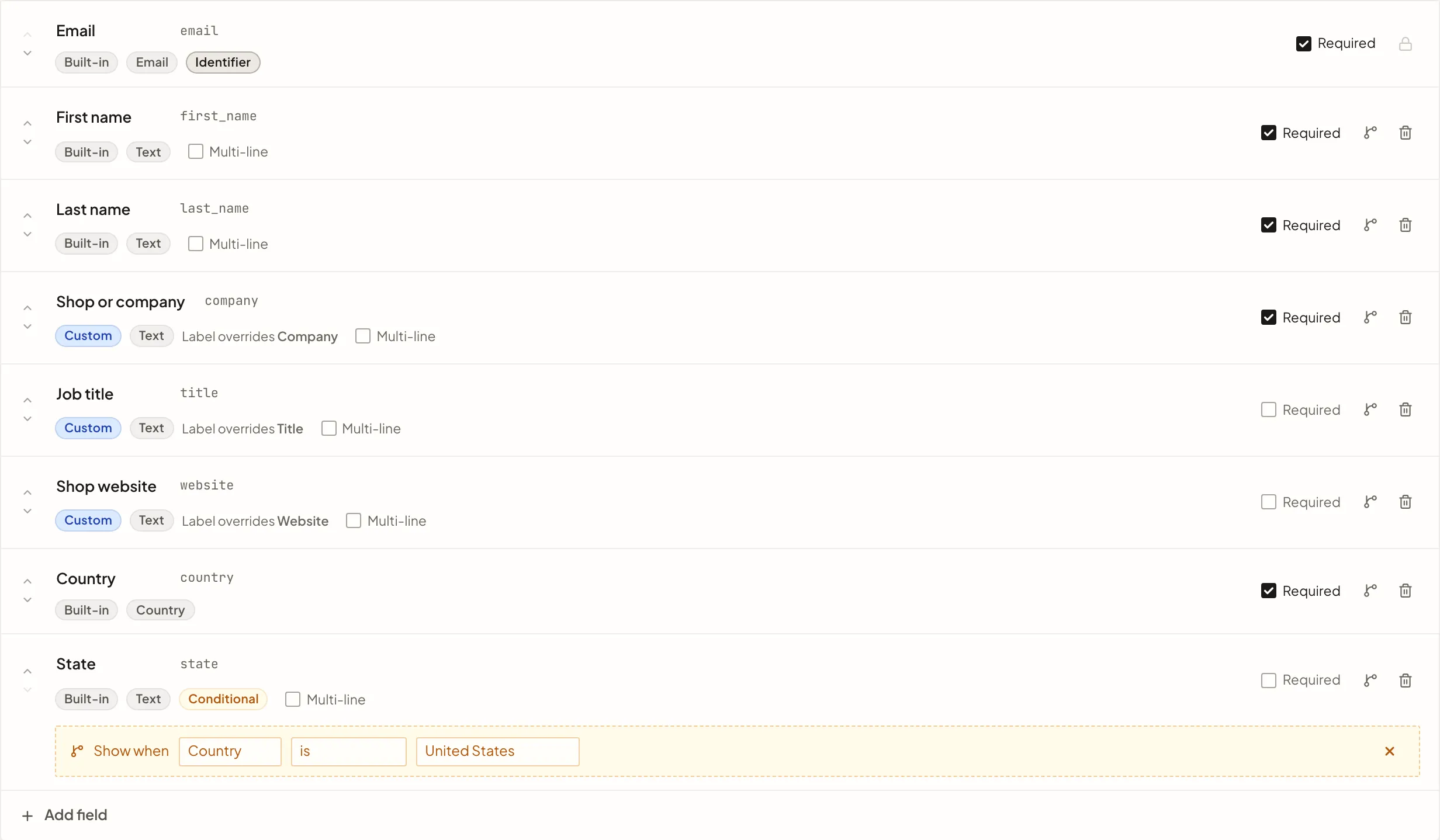
Every form starts with an email address. Add whatever else makes the response useful, like a company, a role, a renewal date, or a question only your business would ask, and each answer goes straight onto the contact.
Answers land in the same typed fields as the rest of RadarSend, so a date comes in as a date. A field can also wait until an earlier answer makes it relevant, so a newsletter signup stays short and a detailed request asks the next useful question.
Put each signup where it belongs.
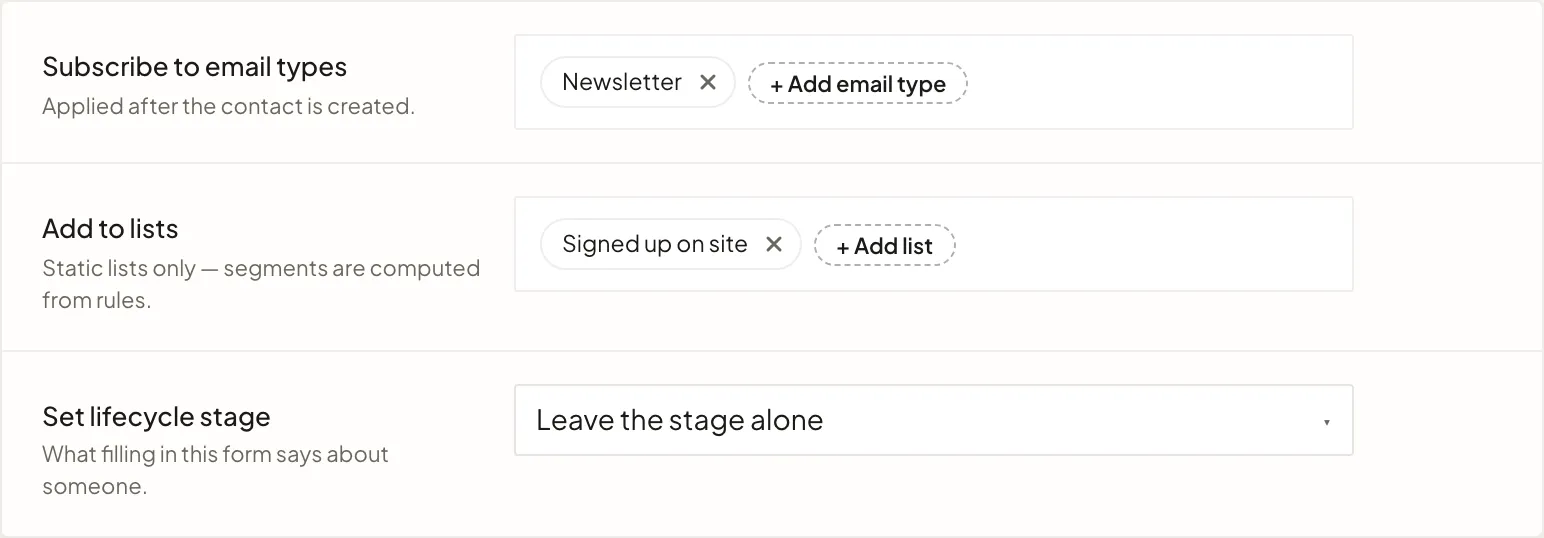
Each form decides which lists a new contact joins and which kinds of email they've signed up for, like your newsletter, product updates, or event invitations.
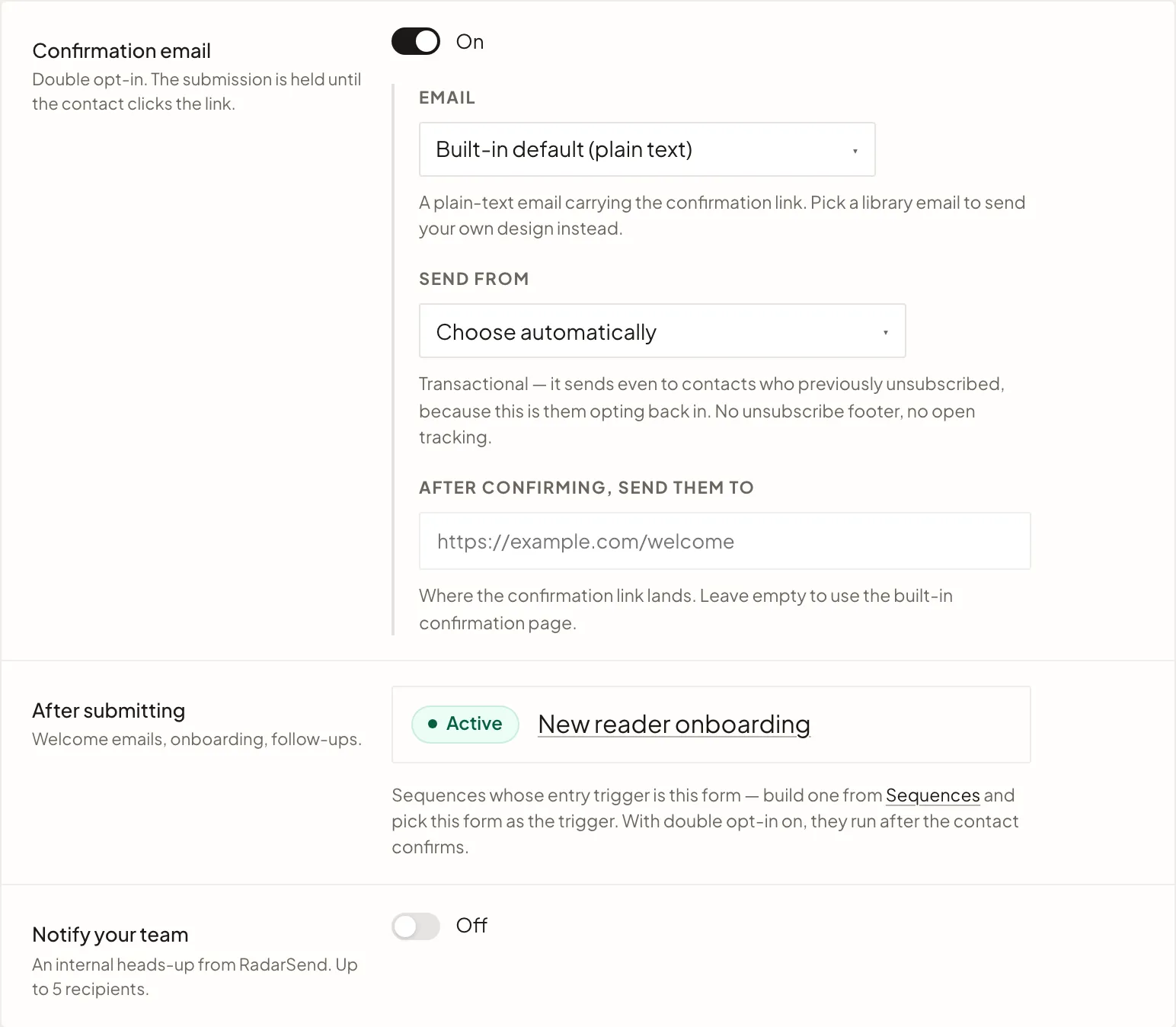
It all happens when they submit the form, so there's no import to run and no second list to keep in sync. If you'd like people to confirm their address first, turn on a confirmation email, and they're added once they click the link.
Start the follow-up and tell the right people.
A submission can start a welcome series, deliver a download, begin onboarding, or follow up on an inquiry. The form lists every sequence that starts from it, so you can see what a signup sets in motion.
When someone on your team should see the response too, RadarSend emails it to them with links to the contact and the rest of the responses. Sales inquiries can go to sales, and applications to operations.
You keep control of how the form looks.
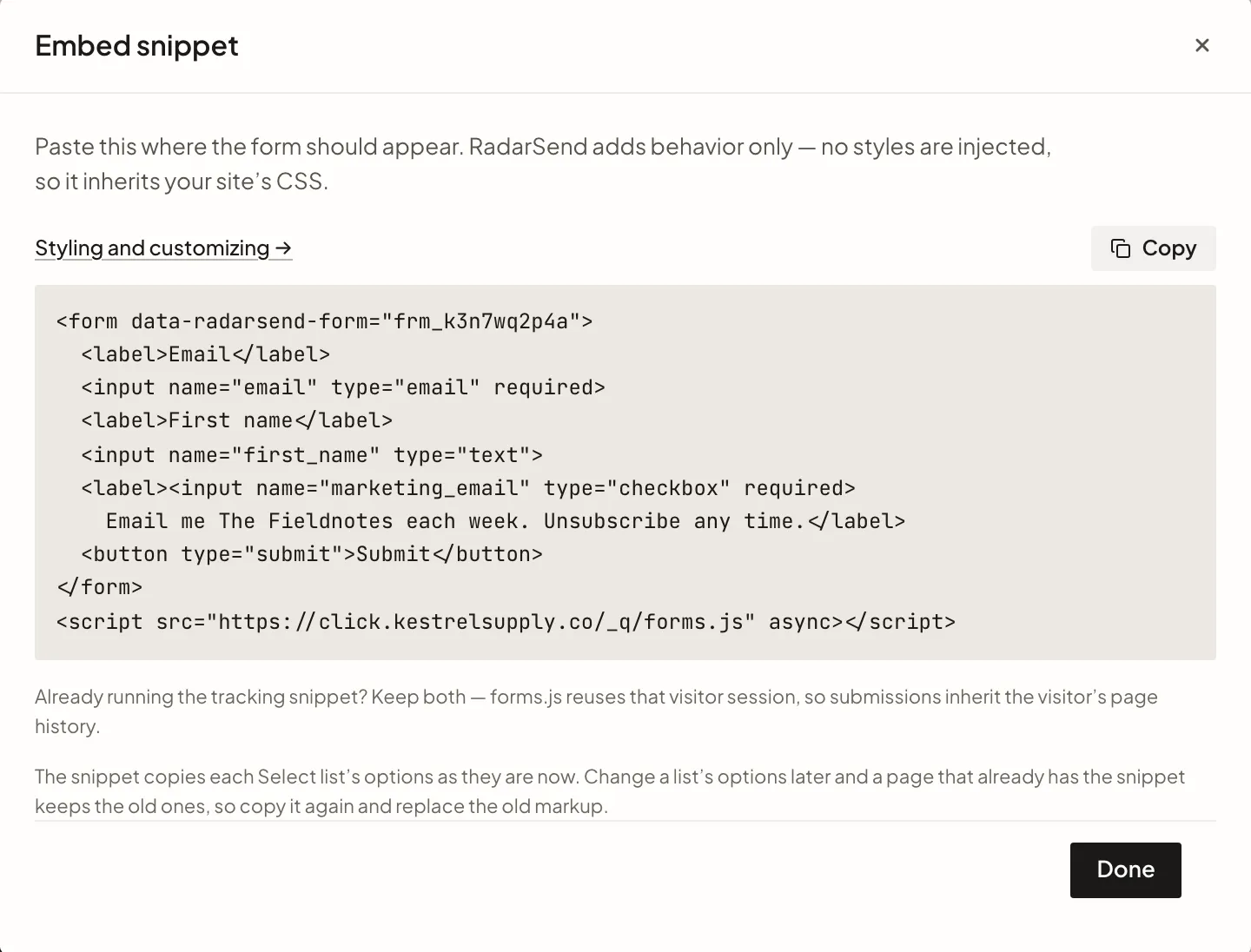
RadarSend doesn't put a widget or its own styles on your page. The form is plain HTML on your site, styled by your own CSS, so it looks like everything around it and you can change it whenever you like.
When someone submits the form, RadarSend checks the answers, keeps bots out, adds the contact, and starts the follow-up. Visitors never leave your site.
See the signups as they arrive.
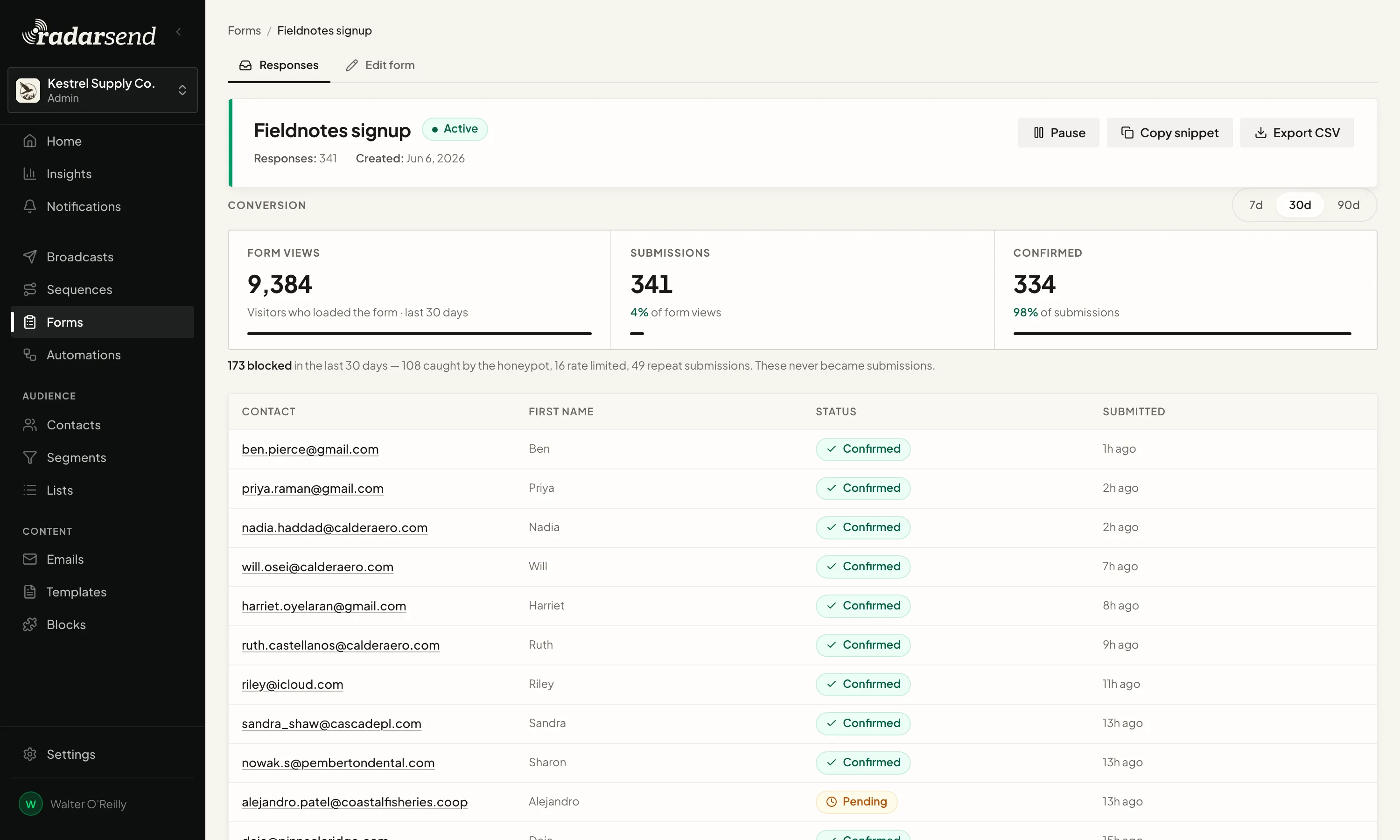
Each form keeps its responses with everything people submitted, next to how many people saw the form, how many submitted it, and, with confirmation on, how many confirmed.
Blocked attempts and repeat submissions don't count as signups, so the number is people. If the visitor came from a campaign link, the form can keep its UTM tags, so you can see what brought each signup in.