Broadcasts

Send a campaign
through your own sending service.

You get the audience, design, scheduling, and reporting tools the big-name platforms offer, and the email goes out through the sending service and domains you already have.

Get started Take a tour
app.radarsend.com/t/kestrel-supply/broadcasts
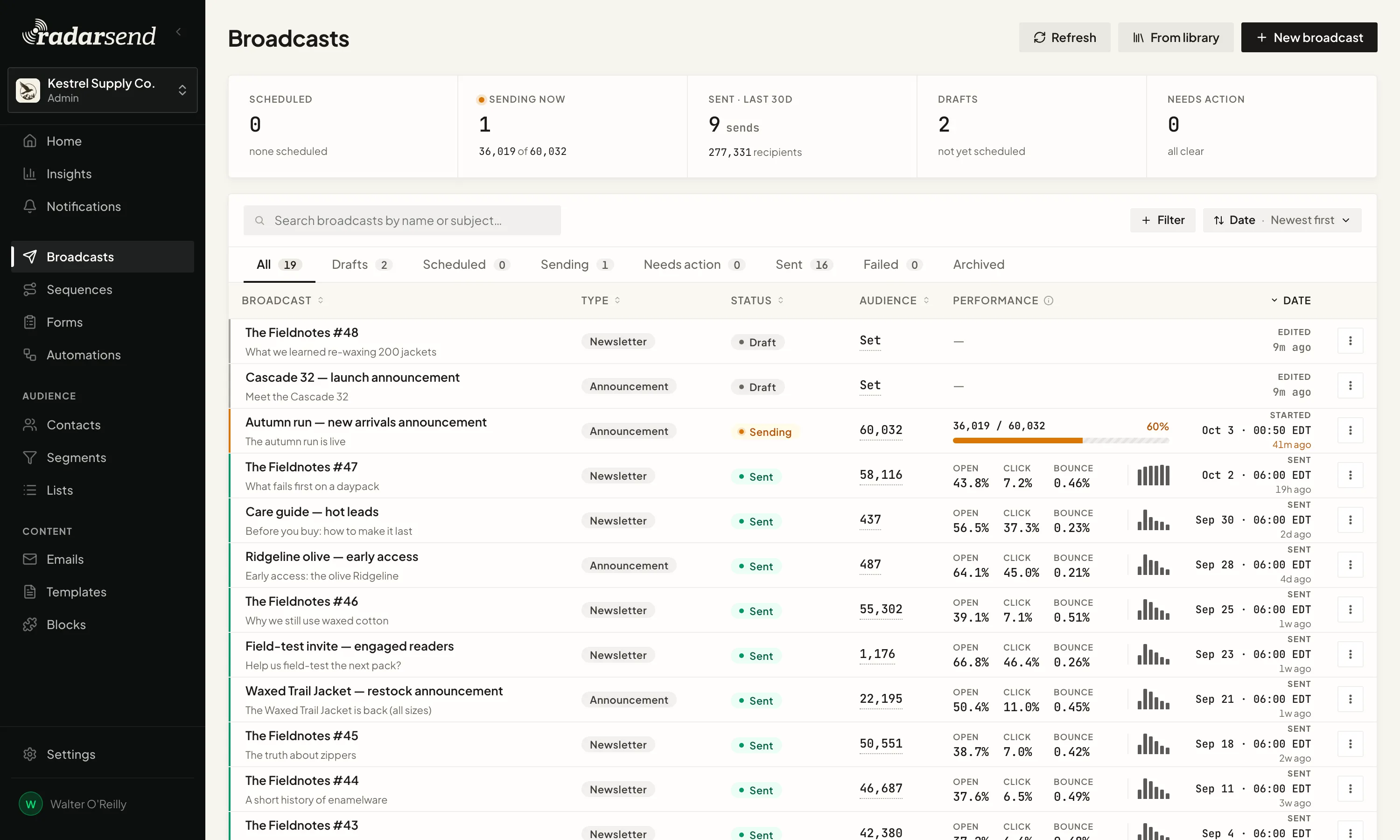
The Broadcasts list: one announcement sending now with its progress against the audience size, two drafts, and a run of sent broadcasts each showing audience size with open, click and bounce rates on the same row.

Send to the people you meant to reach.

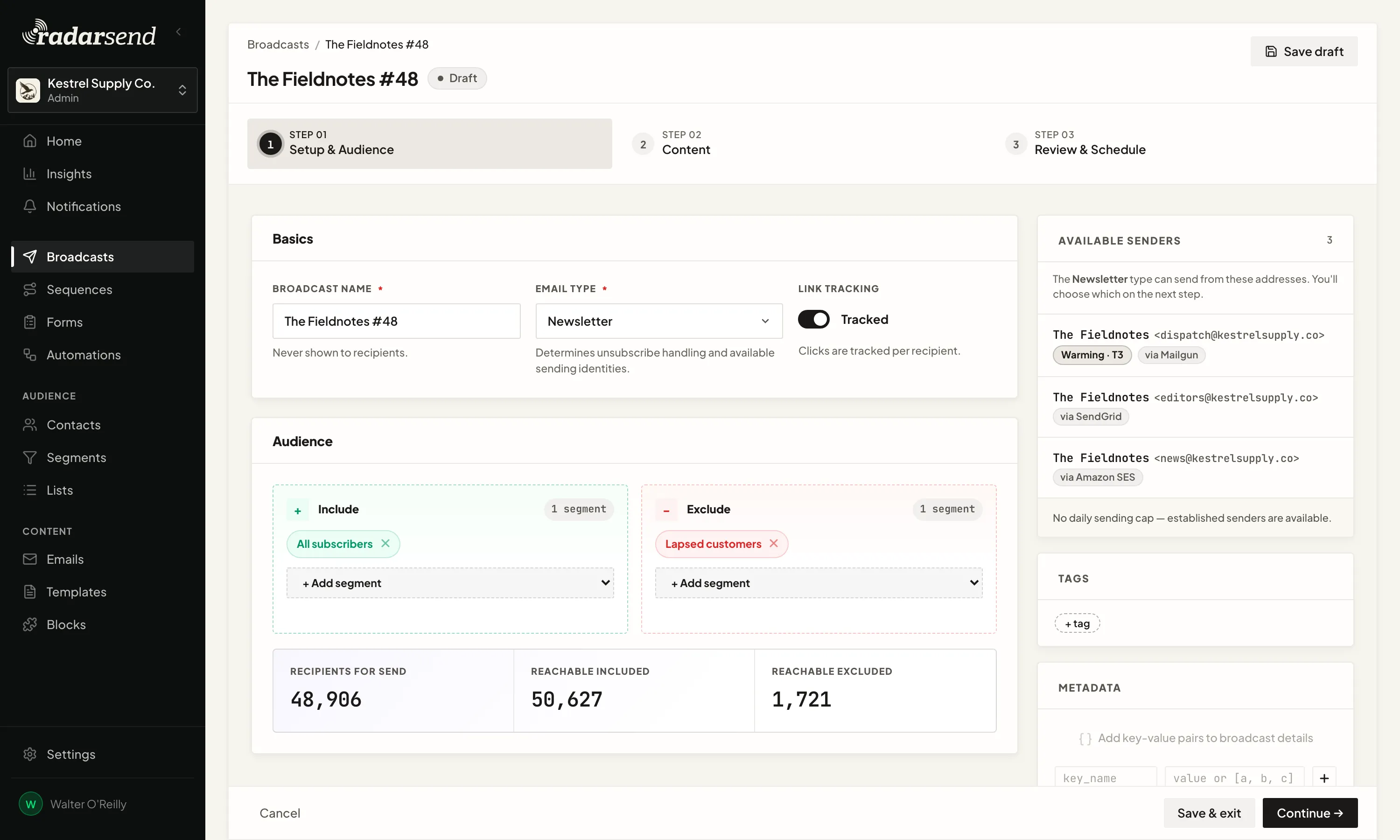
Pick the segments and lists to include and the ones to leave out, like everyone on your list except customers who've already bought. Before you send, you see how many people it will actually reach, after unsubscribes and bad addresses are taken out.

Segments keep themselves up to date, so there's no list to export and rebuild before each send.

app.radarsend.com/t/kestrel-supply/broadcasts/fieldnotes-48/setup
Step 01, Setup and audience, on a draft broadcast: the basics with broadcast name, email type and link tracking, an audience that includes All subscribers and excludes Lapsed customers, and a count of recipients for send beside reachable included and reachable excluded.
app.radarsend.com/t/kestrel-supply/broadcasts/fieldnotes-48/content
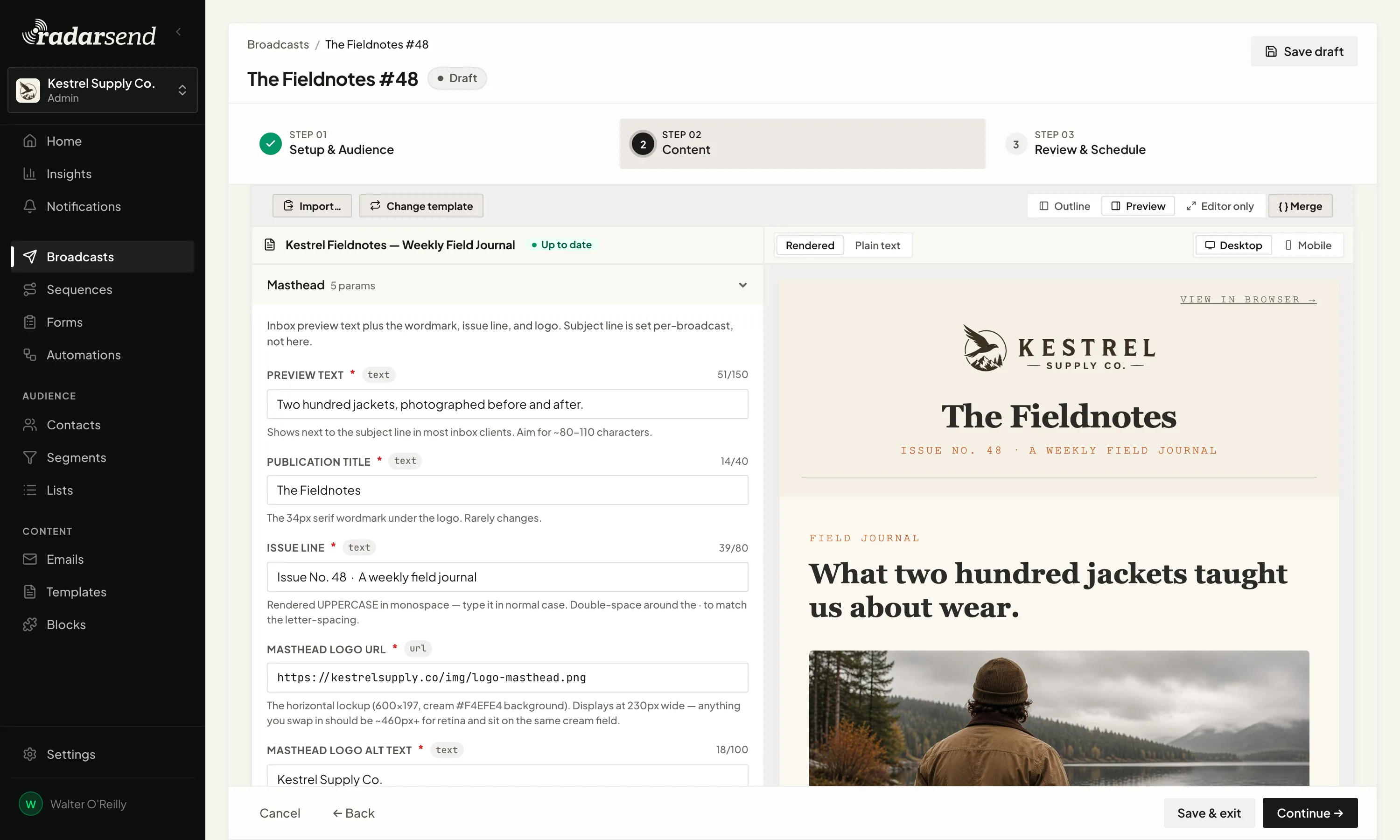
A broadcast's content written from a Template: the email's changeable parts as a short form on the left, and the finished email previewed beside it.

Write it your way.

Start from a RadarSend Template, where the design is already set and you fill in the words and images in a short form. If you'd rather work in code, write it in MJML, a markup language built for email, or bring your own HTML. Either way, you see the finished email on desktop and mobile before it goes out.
Send now, later, or a little at a time.

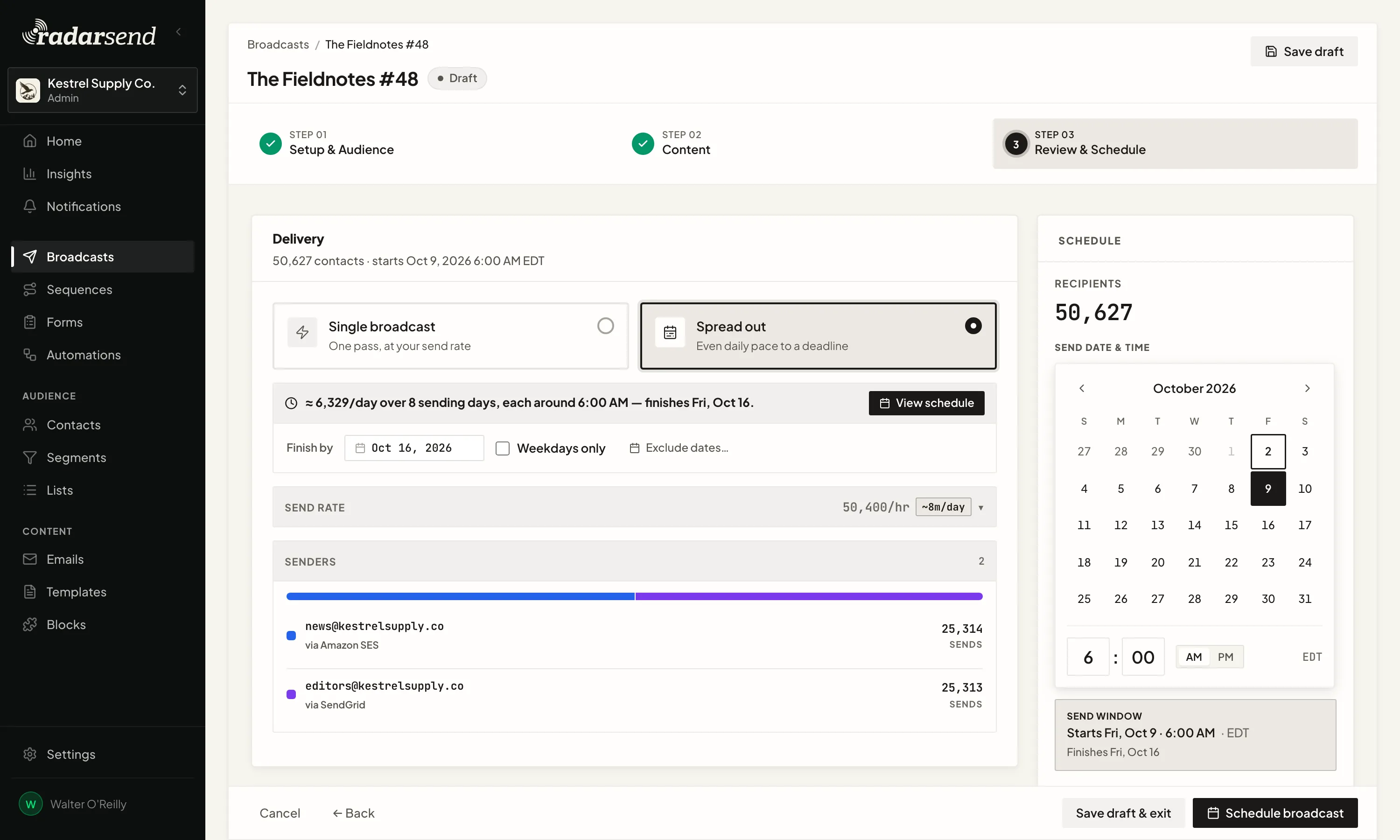
A big list doesn't have to go out all at once. Spread it over several days at an even pace and pick the date it should finish, which is easier on a new domain and on your sending service's limits.

It goes out from your own addresses, through the sending service you already use. If you've connected more than one, a large broadcast can split across them and stay within the daily limit of any domain you're warming up.

app.radarsend.com/t/kestrel-supply/broadcasts/fieldnotes-48/edit
The schedule step of a broadcast set to spread out: an even daily pace that finishes by a chosen date, the senders and sending services splitting the send, and a calendar for the start date and time.
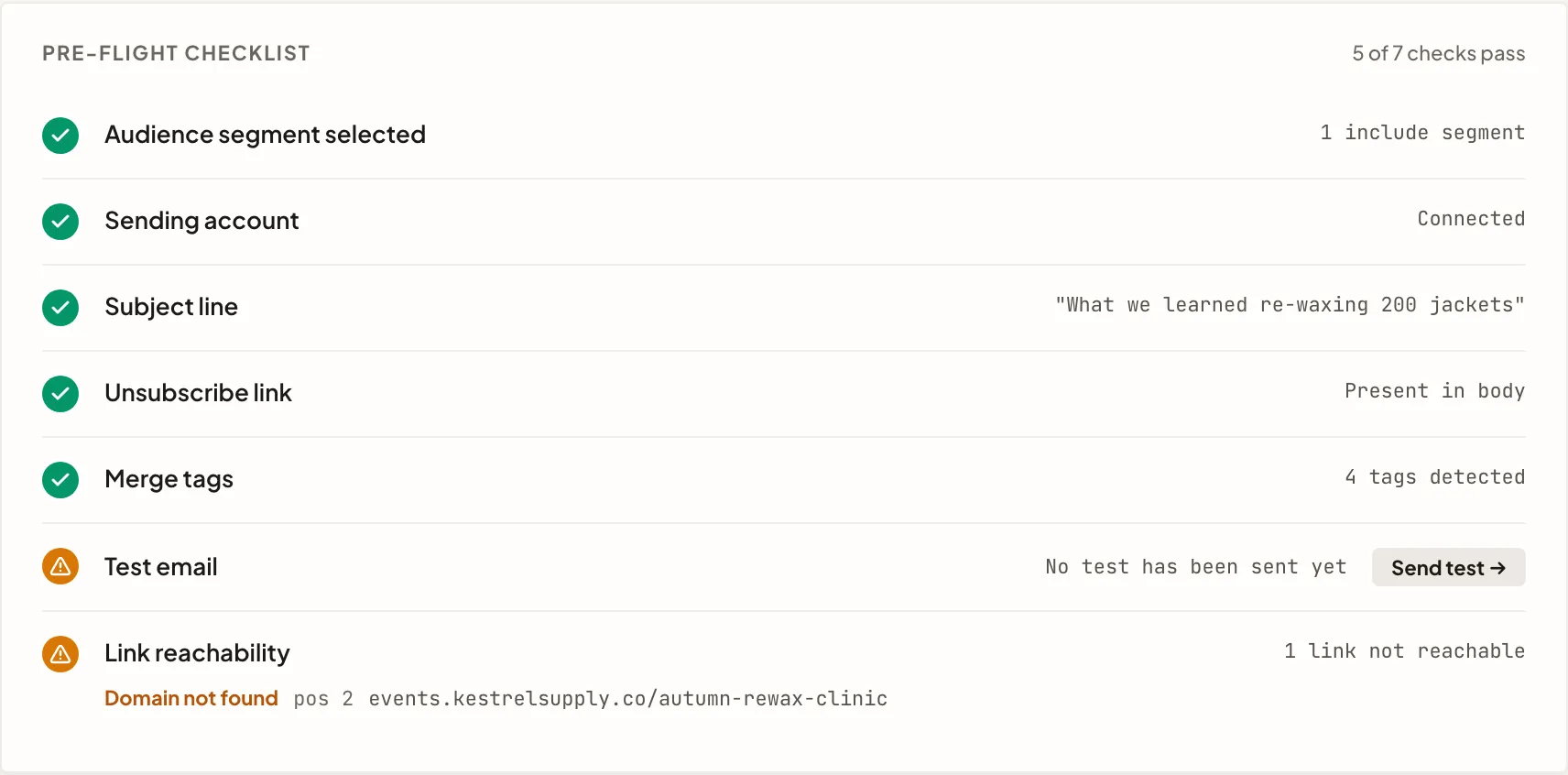
The pre-flight checklist before scheduling: audience segment, sending account, subject line, unsubscribe link, merge tags and link reachability each checked, with one item flagged for attention and a Send test control beside it.

Check it before anyone else sees it.

Send yourself a real test, from the same address and through the same sending service your contacts will get it from.

Before you schedule it, RadarSend checks that the unsubscribe link works, fills in the personalized parts with real contacts to catch blanks, and follows every link to make sure it goes somewhere. If something's wrong, it tells you what, so you don't hear about it from a reply.

See who paid attention.

Some inboxes open every email automatically, and company security tools click every link before a person sees it. Many email reports count all of that. RadarSend filters it out, so the opens and clicks in your report are people.

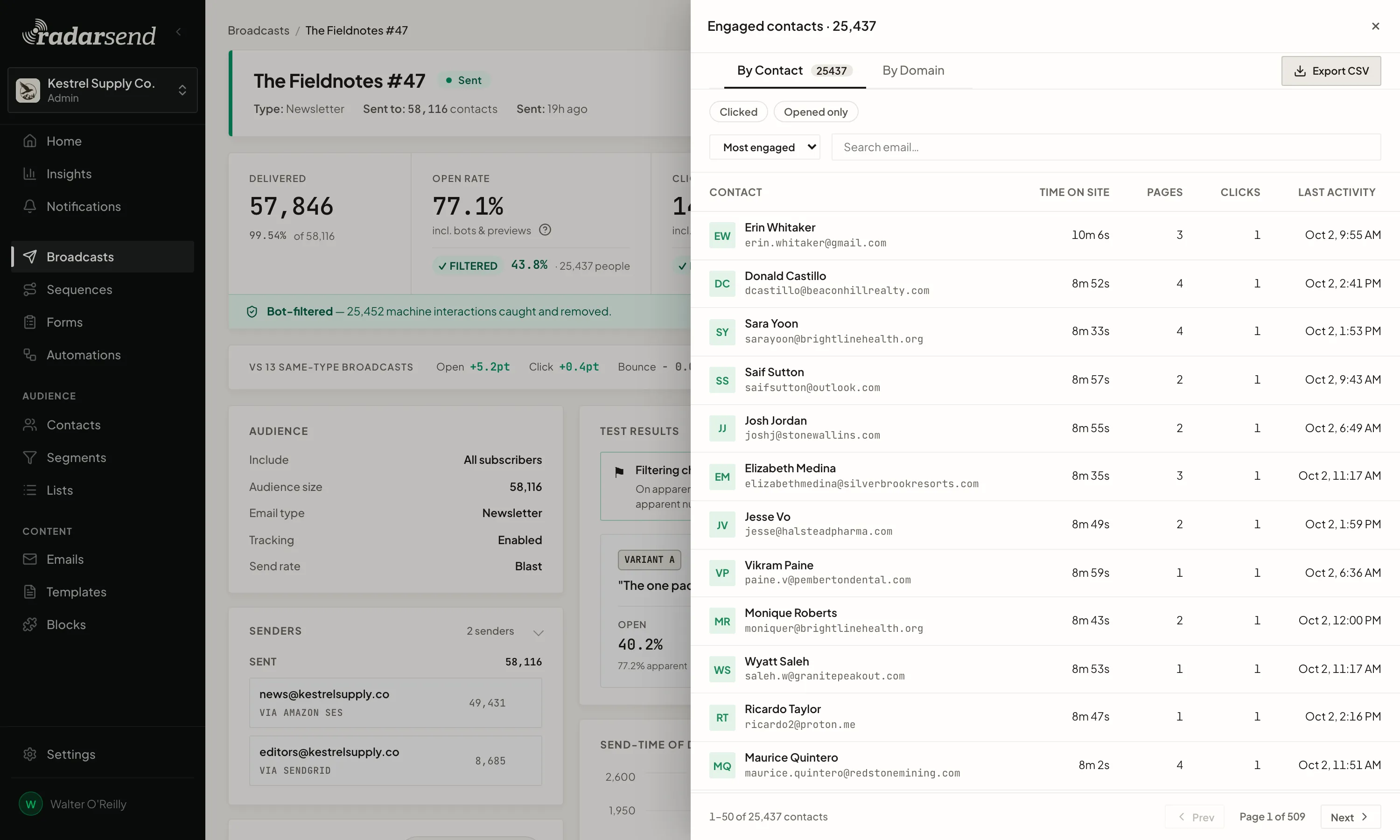
Past the usual delivered, opened, clicked, and bounced, you see which contacts opened or clicked, what they read on your site, how long they stayed, and whether they came back. Export them, or turn them into your next segment.

app.radarsend.com/t/kestrel-supply/broadcasts/fieldnotes-47/engaged
The engaged-contacts drawer on a broadcast report: named contacts with how long they stayed on your site, how many pages they viewed, their clicks and last activity, and an export control.

A broadcast doesn’t end when it sends.

Every open, click, and visit from a broadcast goes onto the contact who made it.

Use them to build a segment, add to a score, or start a follow-up sequence, so the people who read your launch email get a different next email than the people who didn't.

  1. Broadcast sentThe report opens the moment it goes out
  2. Filtered engagementReporting and bot filtering
  3. Contact history and site activityPost-click tracking
  4. A new segment or a follow-up sequenceContacts and segmentation

See how a broadcast comes together.

Get started Take a tour