Who came to your webinar, and who didn't.

Connect GoTo Webinar and RadarSend records who registered for each webinar, who attended and for how long, and who missed it, on each person's contact. The follow-up each person gets can then match what they did.

What GoTo Webinar brings in.

Each webinar's registrants and attendance land on their contacts. Someone who registers and isn't a contact yet is added as one.

  • Registered for a webinarWith the webinar's title and when it starts.
  • Attended a webinarWith the minutes they stayed, added up across sessions.
  • Missed a webinarOnce every session is over and they joined none of them.
  • A page for each webinarUpcoming and past webinars with registered, attended and missed counts, the time each person attended, and the answers to your registration questions.
  • Your recent historyThe last six months of webinars, on contacts and in segments, without starting any emails.

Follow up based on what each person did.

  • Someone registers.The Registers for a webinar trigger starts a reminder sequence for that webinar, or for any of them.
  • Someone misses it.The Misses a webinar trigger sends the recording to the people who registered and didn't show.
  • Someone stays to the end.Set a minimum number of minutes on the Attends a webinar trigger, and send the next step only to the people who watched most of it.
  • You announce the next one.Build a segment of everyone who attended a webinar in the last 90 days, and send them the invitation first.

Segments and scores that know about webinars.

The Webinars filters build a segment from any webinar or one title: who registered, who attended for at least so many minutes, and who missed it, at any time or in the last few days.

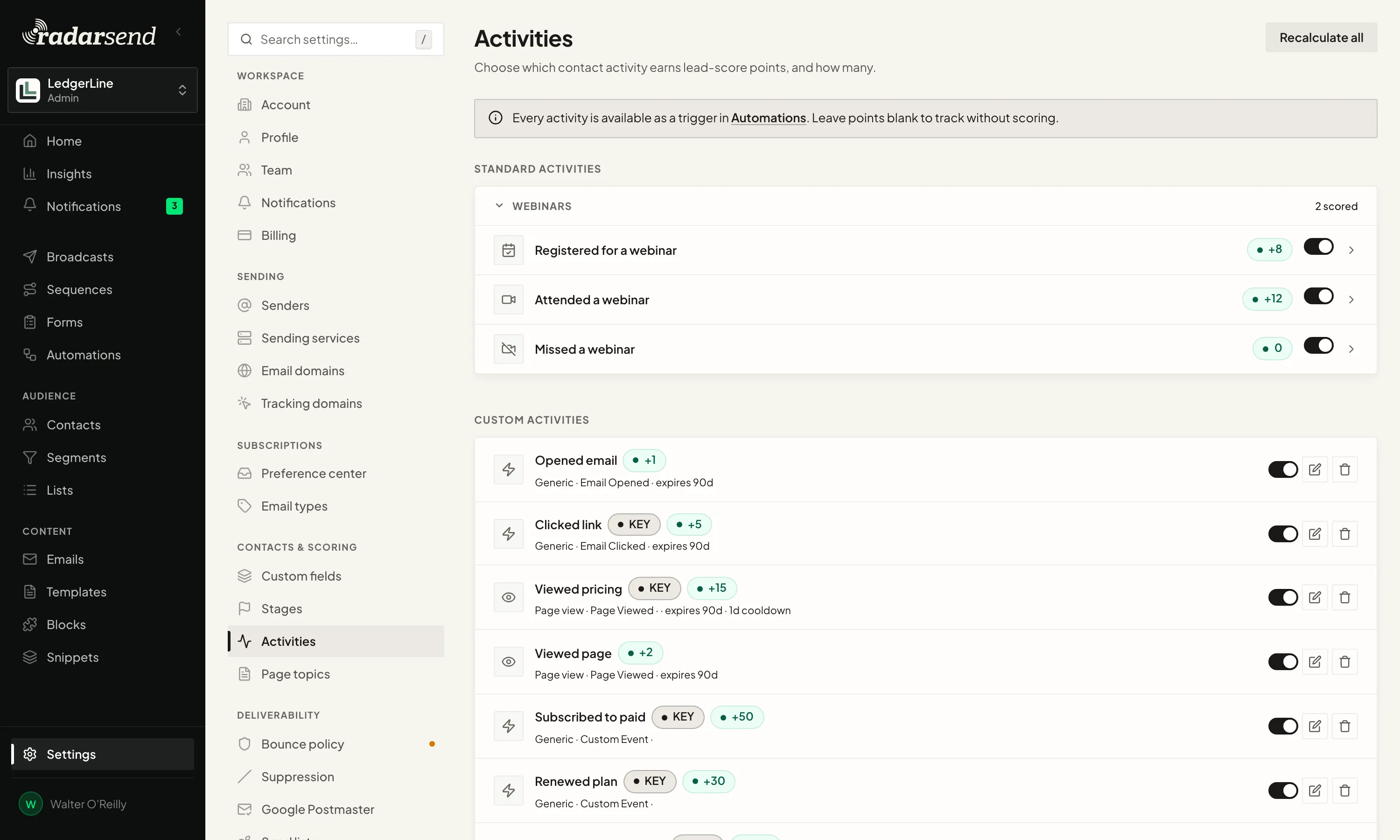
Registering, attending and missing are activities like any other, so they can add to a contact's score and send a webhook to another app.

The Activities settings: each tracked activity, such as opening an email, clicking a link, viewing pricing, renewing a plan or registering for a webinar, with the points it adds, whether it's a key activity, and when its points expire.

For organizers who run webinars for more than one brand.

Choose Only webinars I choose, and new webinars wait under To review until an admin includes or excludes them. One brand's registrants don't end up in the other brand's contacts.

A webinar you include before it runs counts its registrants as new, so a reminder sequence picks them up. If more than one person on your team runs webinars, connect each organizer.

Connect GoTo Webinar, and follow up with each person on what they did.

Setting it up? Read the webinar setup guide →